Rejected Orders
General Information
The Rejected Orders trigger monitors the MT4 error log for rejected trades.
If any rejected trades are detected, the trigger generates a notification.
⏳ Checks are performed every 5 minutes.
Menu Navigation
📌 You can find the Rejected Orders trigger under:
Risk Management → Additional
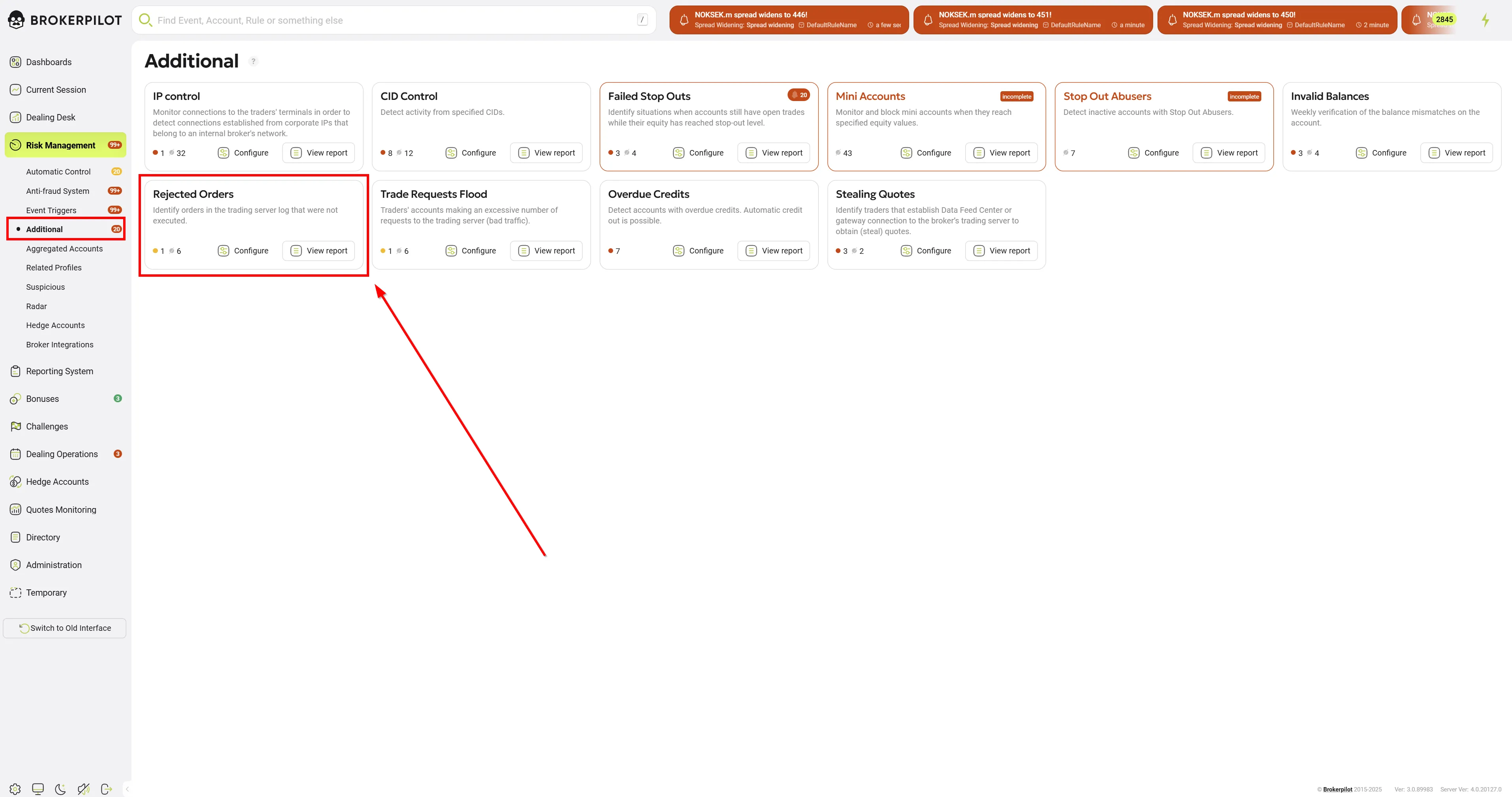
Edit Settings
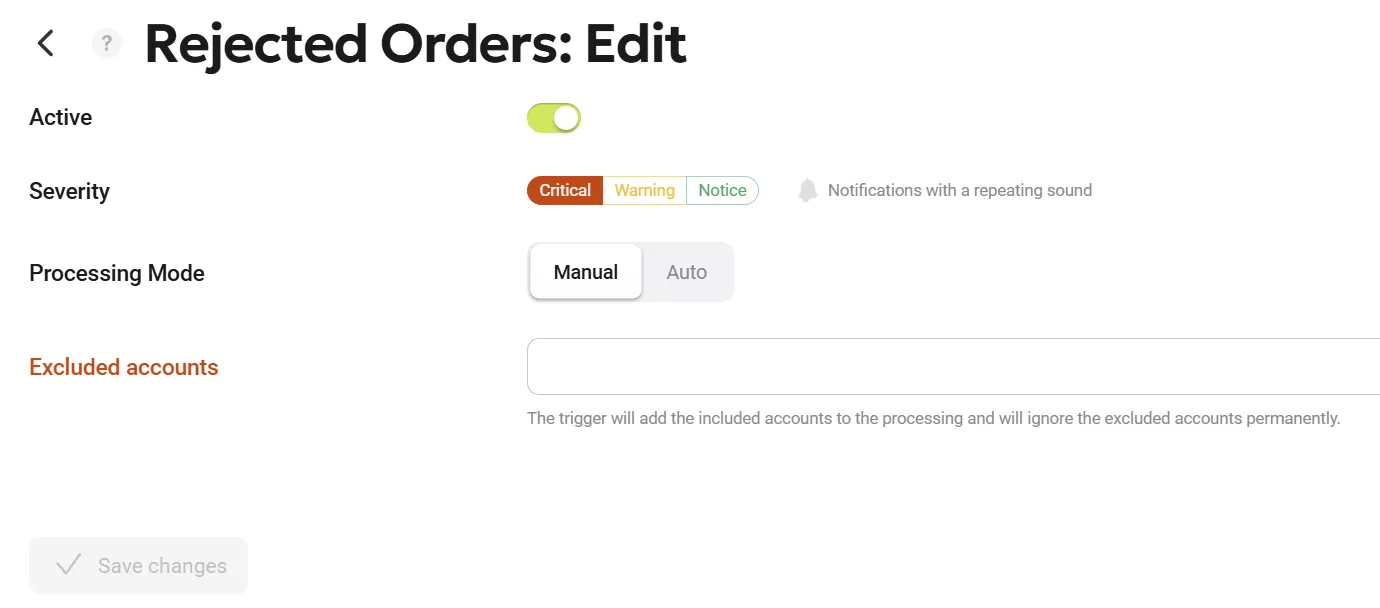
| Parameter Name | Description |
|---|---|
| Processing Mode | Users have the option to choose whether a triggered event requires manual confirmation (by clicking the "Accept" button, mode Manual) or is purely informational (mode Auto). This enhancement reduces routine actions and allows users to focus exclusively on critical events without the distraction of constantly clicking through informational notifications. You can still view automatically processed notifications on the Risk Management page by enabling the Only auto toggle, or in the top header by activating the Show automatic notifications toggle. |
| Excluded Accounts | The list of accounts excluded from monitoring. |
Trigger Logic
- The trigger scans the MT4 error log for rejected trade attempts.
- If an account places an order that gets rejected, a notification is generated.
- The trigger runs checks every 5 minutes to ensure real-time detection.
- Excluded accounts are ignored by the trigger.