Services
The Services section is part of the Administration module in the Brokerpilot system. This page serves as a dashboard for monitoring the status of all connected trading servers, gateways, and platforms in real time.
Page Overview
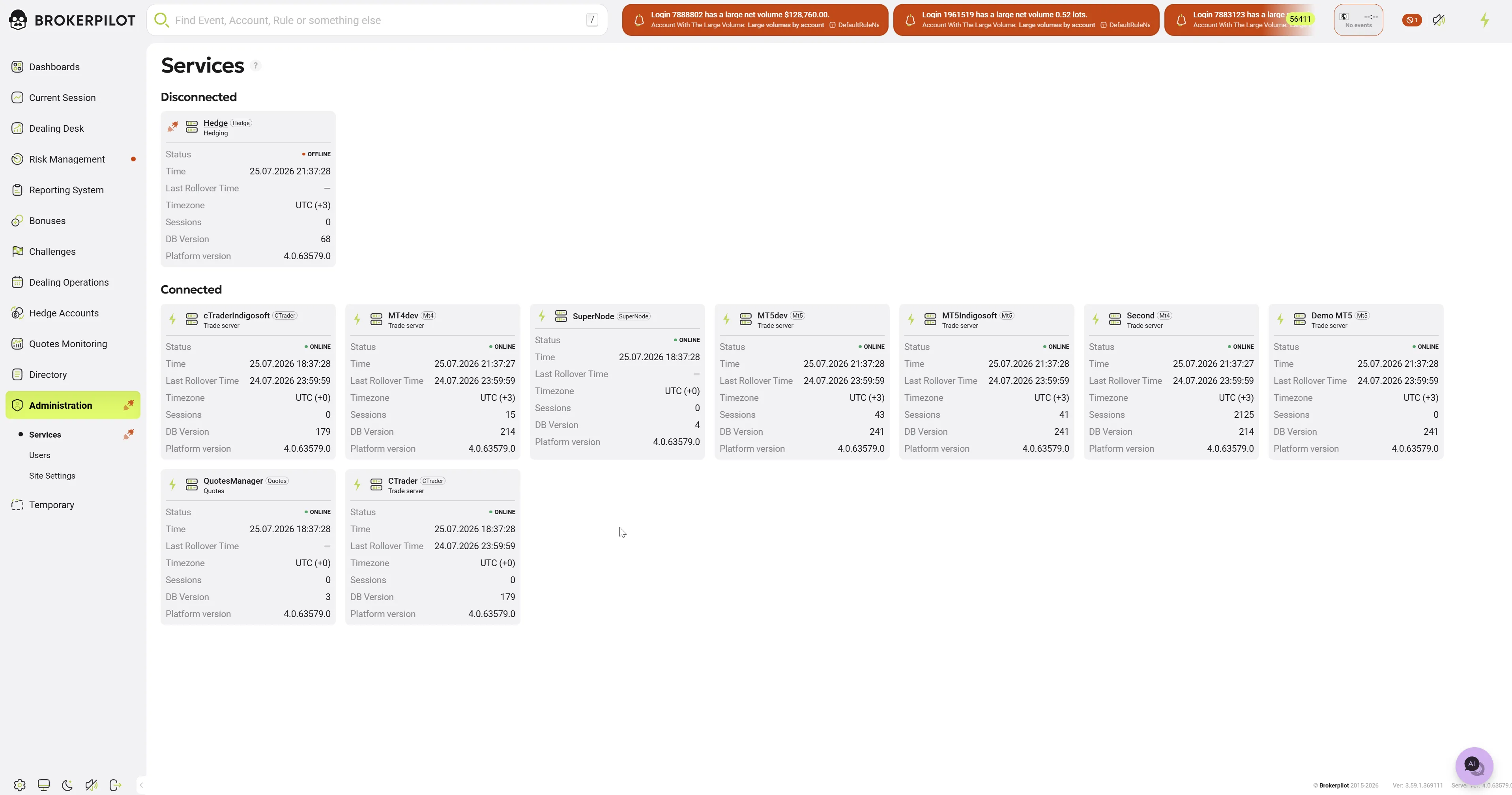
The page displays a grid of cards (widgets) in the Connected block. Each card corresponds to a specific server or service (e.g., Hedge, MT4, MT5, etc.) and displays a summary of its technical information.
Handling Disconnections: If any of the services disconnects, its card will automatically be moved to a separate Disconnected section on this page. Additionally, a disconnected (broken connection) icon will appear next to the section name in the left menu to alert the user of the connection loss.
Service Card Elements
Each card provides the following data for a quick audit of the connection status:
- Service Name and Type: Indicated at the top of the card (e.g., MT4dev marked as Trade server or QuotesManager marked as Quotes).
- Status: Shows the current connection status to the server. The value
ONLINE(with a green indicator) means the service is operating correctly and the connection is established. - Time: The current local time on the given server.
- Last Rollover Time: The exact date and time of the last rollover procedure on the server. If the procedure has not been performed or data is unavailable, a dash may be displayed.
- Timezone: The configured time zone for the specific server (e.g.,
UTC (+3)orUTC (+0)). - Sessions: The number of active client or system sessions at the current moment.
- DB Version: The current database version used by the service.
- Platform version: The exact build number of the installed software (e.g.,
4.0.62913.0).