Rates Gaps
General Information
The Rates Gaps trigger detects price feed gaps and incorrect quotes in trading instrument price streams. When an unusual price gap is identified, the system notifies the dealer accordingly.
Menu Navigation
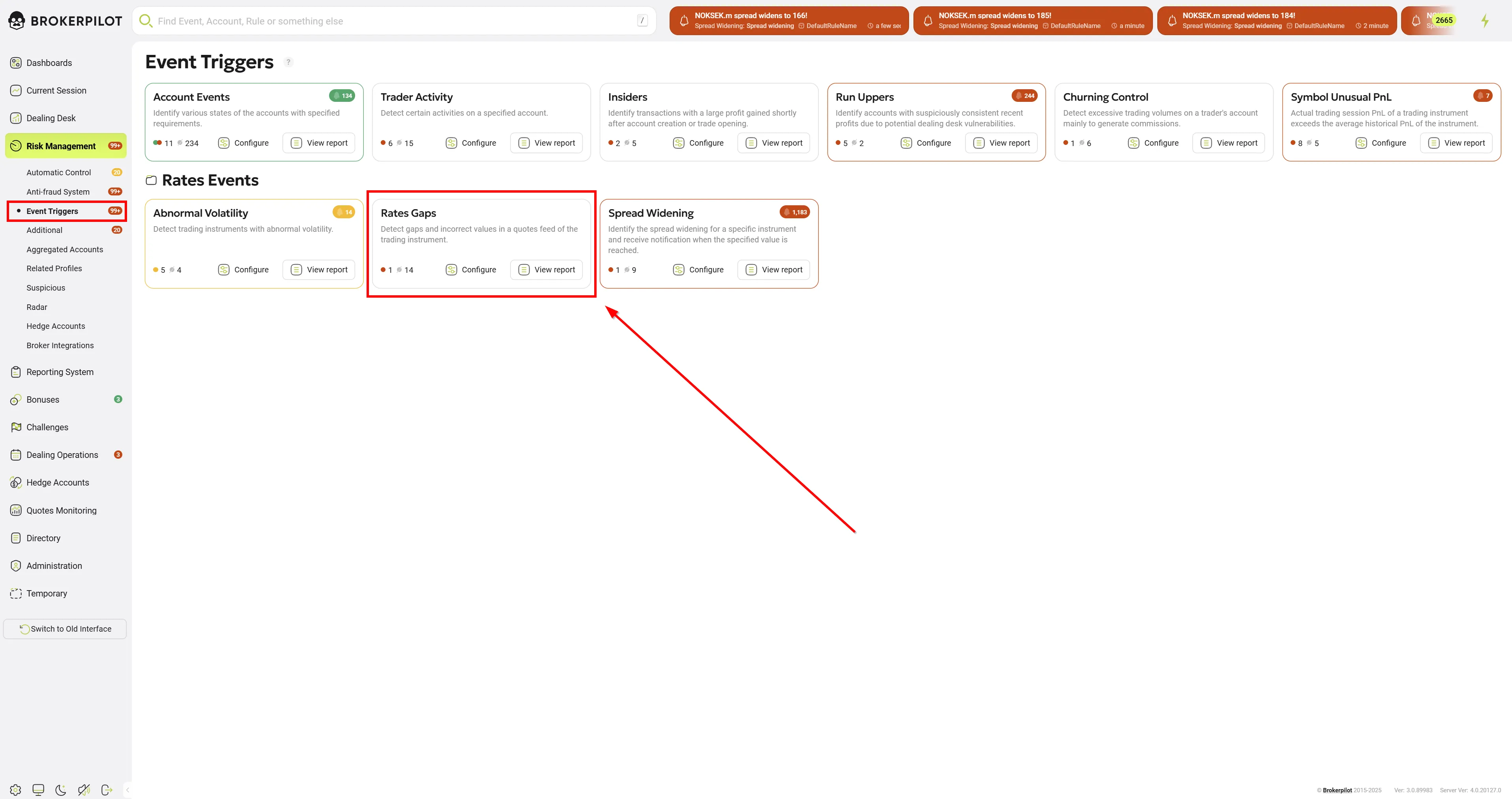
📌 You can find the Rates Gaps trigger under:
Risk Management → Event Triggers
Edit Settings
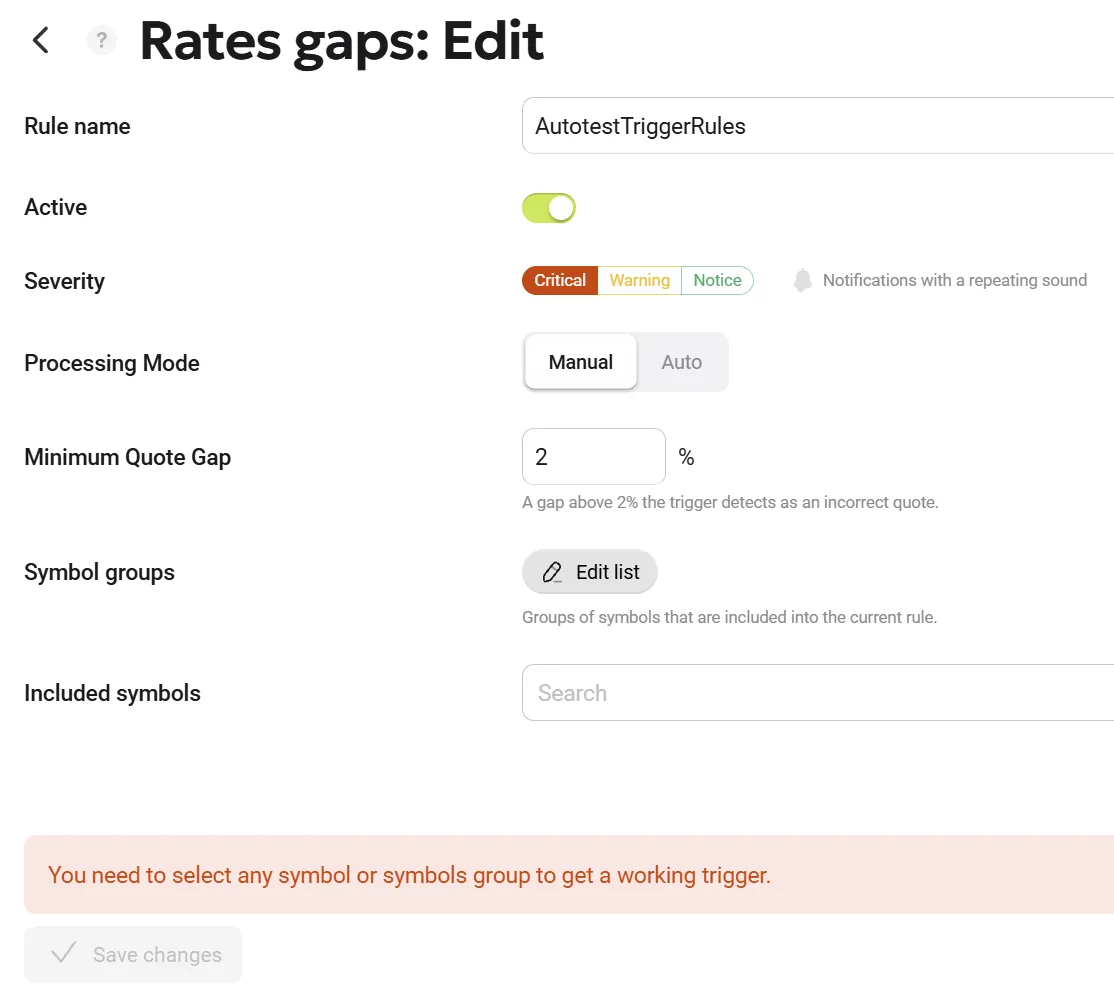
| Parameter Name | Description |
|---|---|
| Rule Name | Assign a custom name to the rule. |
| Processing Mode | Users have the option to choose whether a triggered event requires manual confirmation (by clicking the "Accept" button, mode Manual) or is purely informational (mode Auto). This enhancement reduces routine actions and allows users to focus exclusively on critical events without the distraction of constantly clicking through informational notifications. You can still view automatically processed notifications on the Risk Management page by enabling the Only auto toggle, or in the top header by activating the Show automatic notifications toggle. |
| Minimum Quote Gap | Set the threshold value (in %) for price differences to trigger a notification. |
| Symbol Groups | Select groups of symbols to monitor. |
| Included Symbols | Specify individual symbols for monitoring. |
Notifications
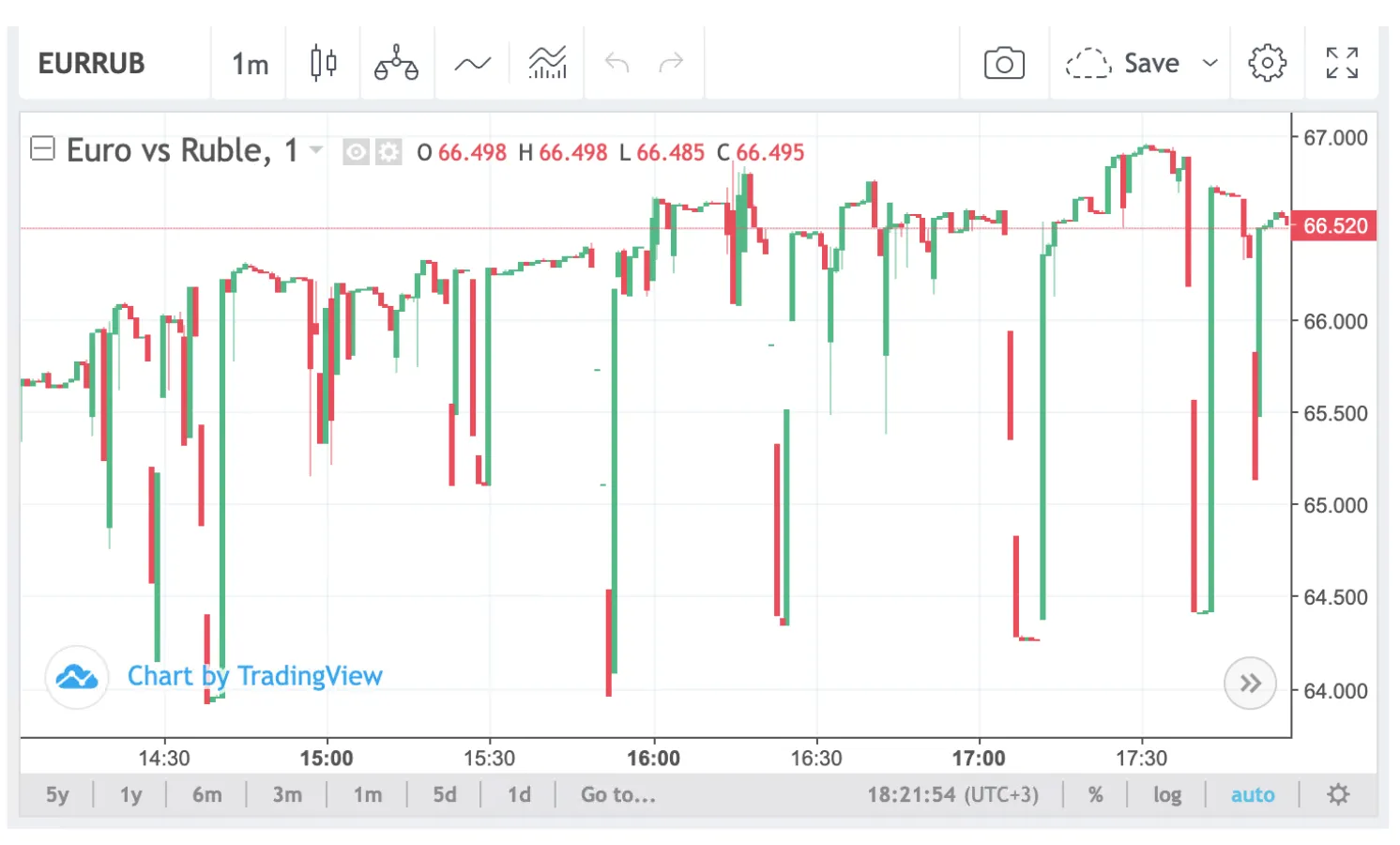
When triggered, the notification includes a TradingView chart of the affected symbol.
📌 Important: If the notification is not processed in real-time, the gap may no longer be visible on the chart.
Permissions
| MT4 | MT5 |
|---|---|
| No specific permissions required. | No specific permissions required. |
Trigger Logic
- The trigger monitors live price feeds for trading instruments.
- It compares the actual symbol price with the previous quote.
- If the price difference exceeds the set threshold, the system generates a notification for the dealer.