Orders Execution
The Orders Execution is a crucial risk management tool designed to monitor the stability of trade order processing on broker servers.
This semaphore tracks the presence or absence of order executions in real-time. If no order is executed on the trading server within a user-defined time interval, the system generates a notification. This allows dealers and risk managers to instantly react to technical failures, server "freezes", liquidity provider issues, or trading session disconnections, preventing potential financial and reputational losses.
How to Configure Monitoring
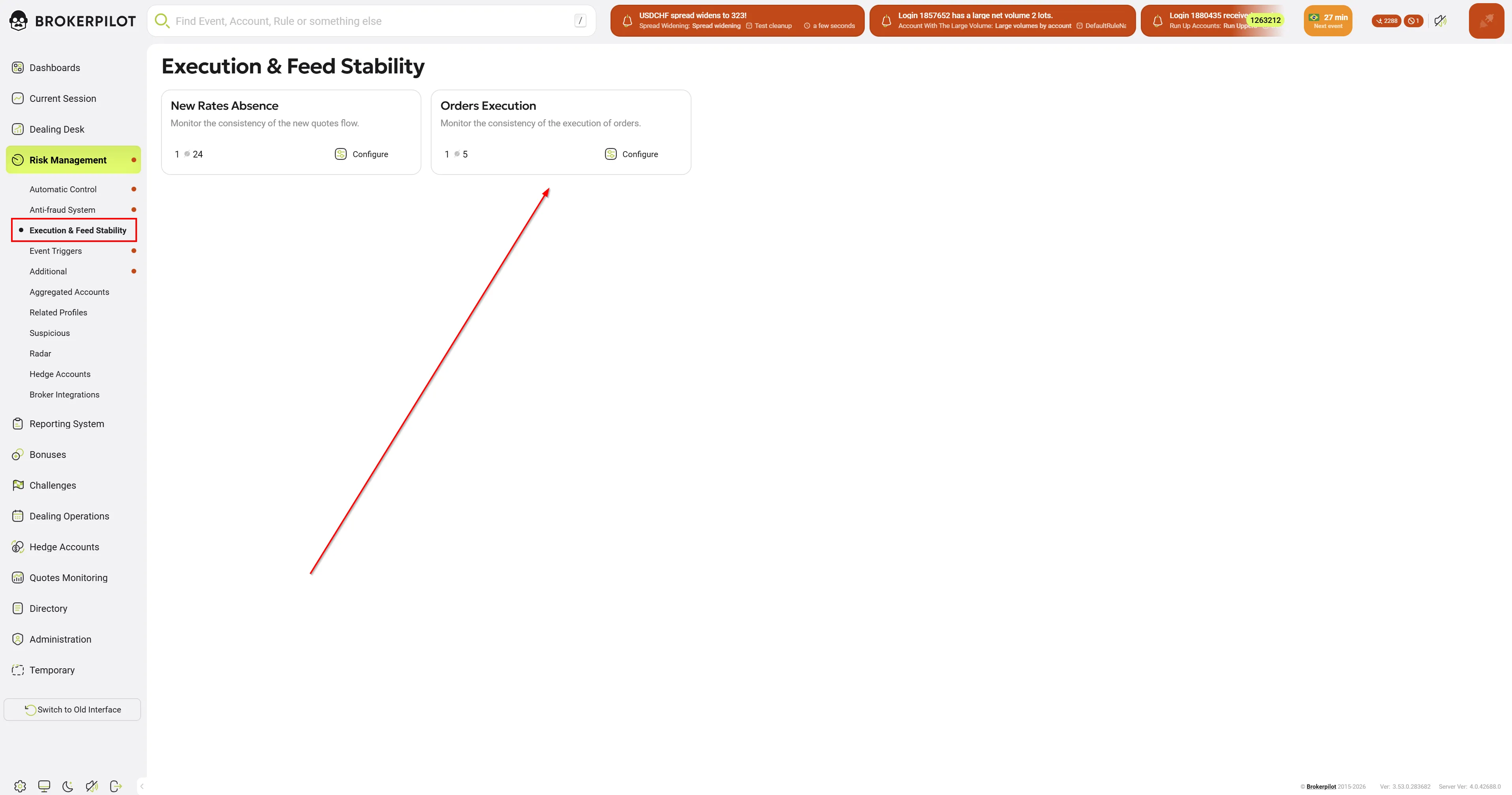
To access the settings, navigate to the main menu and select Risk Management - Execution & Feed Stability, then click the Configure button on the Orders Execution card.
"Orders Execution: Configure" Screen
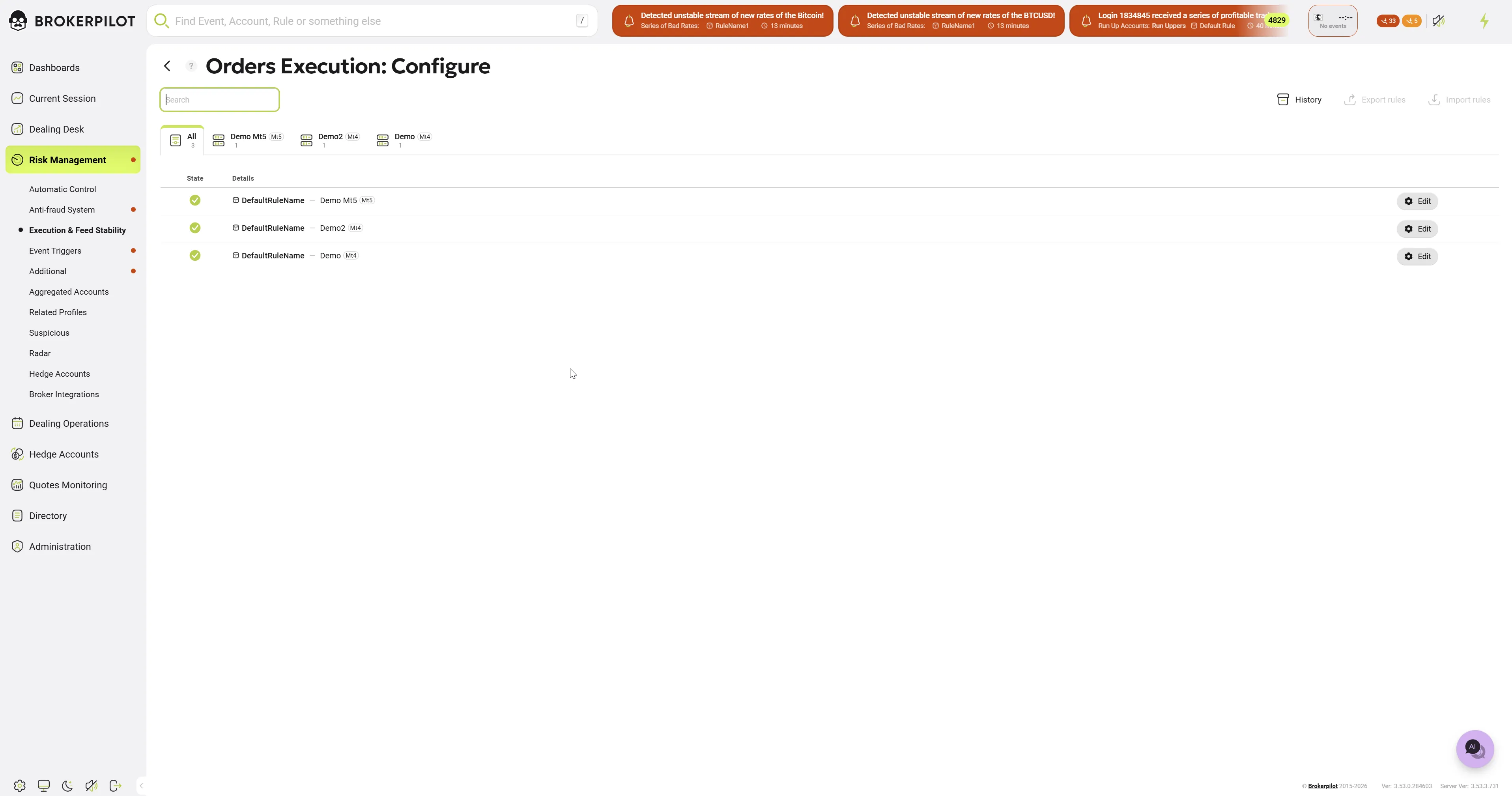
The main configuration screen displays a list of all created rules.
- Filtering by servers: Use the tabs at the top to filter rules by specific trading servers.
- Click the Edit button to change the parameters.
- Import and Export: In the upper right corner, you can find the Export rules, and Import rules buttons, which are convenient for migrating configurations between environments or servers.
Editing a Rule ("Edit" Screen)
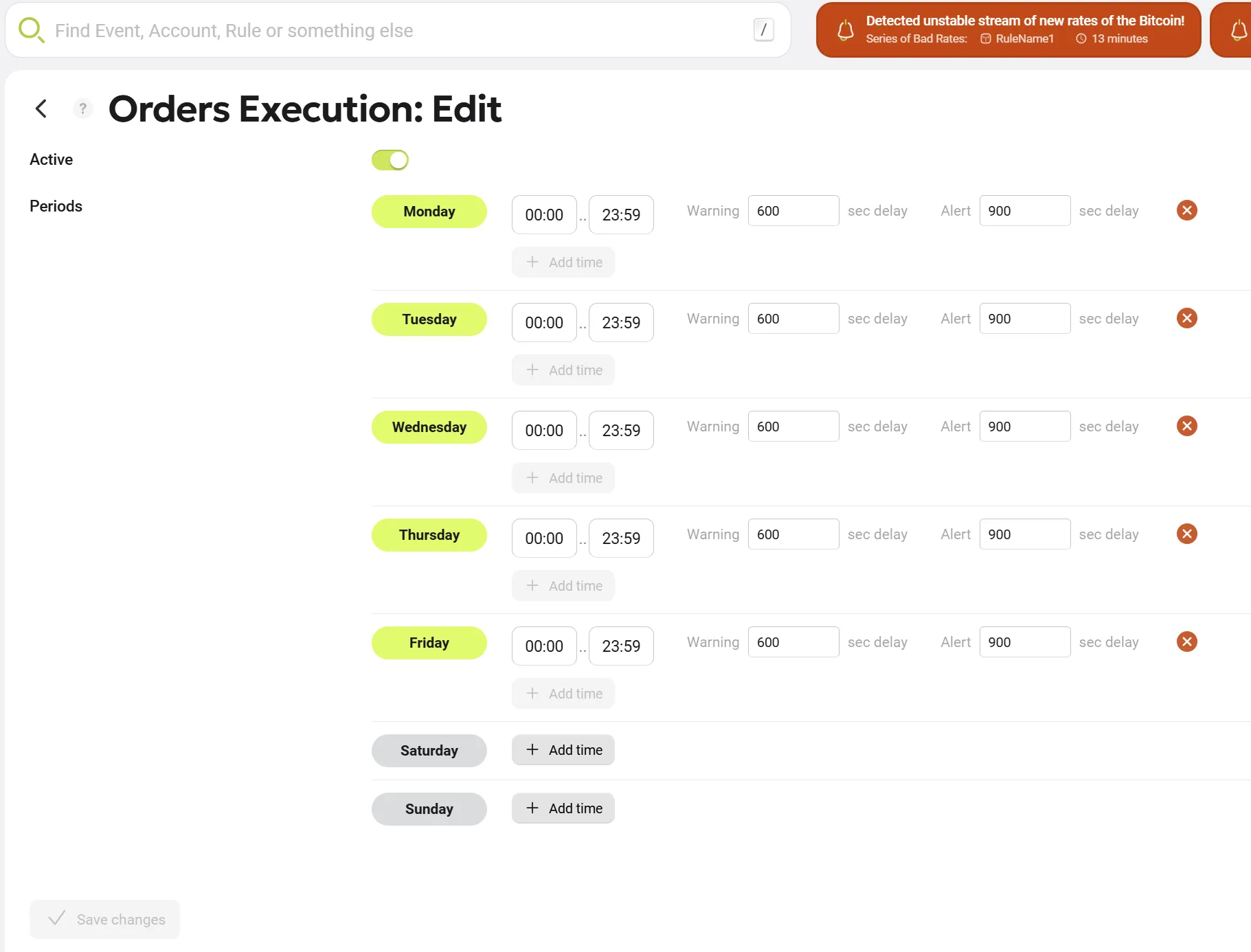
In the editing menu, you can configure the semaphore trigger logic in detail for each day of the week:
- Rule activation: The main Active toggle in the top left corner allows you to completely enable or disable the current rule.
- Schedule configuration: Monitoring is configured individually for each day of the week (from Monday to Sunday).
- Time intervals: For each day, you can set one or more monitoring periods (e.g.,
00:00 .. 23:59). If you need to add an additional monitoring window within the same day, use the + Add time button. - Trigger thresholds (Delays):
- Warning (sec delay): Time in seconds. If there are no executions within this timeframe, the system will issue an initial warning (orange level).
- Alert (sec delay): Time in seconds. If the downtime reaches this value, the system generates a critical alert (red level).
Notifications and Monitoring (Alerts)

If the system detects a lack of order executions longer than the specified threshold, a pop-up notification (Notification widget) appears in the Brokerpilot interface.

- Brief notification: Displays the time of the last activity and a list of the affected servers .
- Detailed table: Clicking the Open all button in the notification opens a detailed No Execution for: window. Data can be exported from this window into .csv file using the Export button.
Configuring Exceptions (Exclude)

If the lack of execution for a specific server is expected (e.g. closed exchange trading hours), you can exclude it from monitoring:
- In the detailed No Execution for: table, click the "scissors" icon in the row of the corresponding server.
- The Exclude window will open.
- Select the period for which the server should be excluded from monitoring for the given server:
- One hour
- 12 hours
- One day
- One week
- Forever
- Click the Save Changes button at the bottom to apply the exclusion.
- The selected server will no longer trigger the semaphore for the specified period.