Admin Fees
General Information
The Admin Fees trigger allows brokers to charge commissions on open positions carried over through a rollover to the next day, including holidays and weekends.
Menu Navigation
📌 You can find the Admin Fees trigger under:
Risk Management → Automatic Control
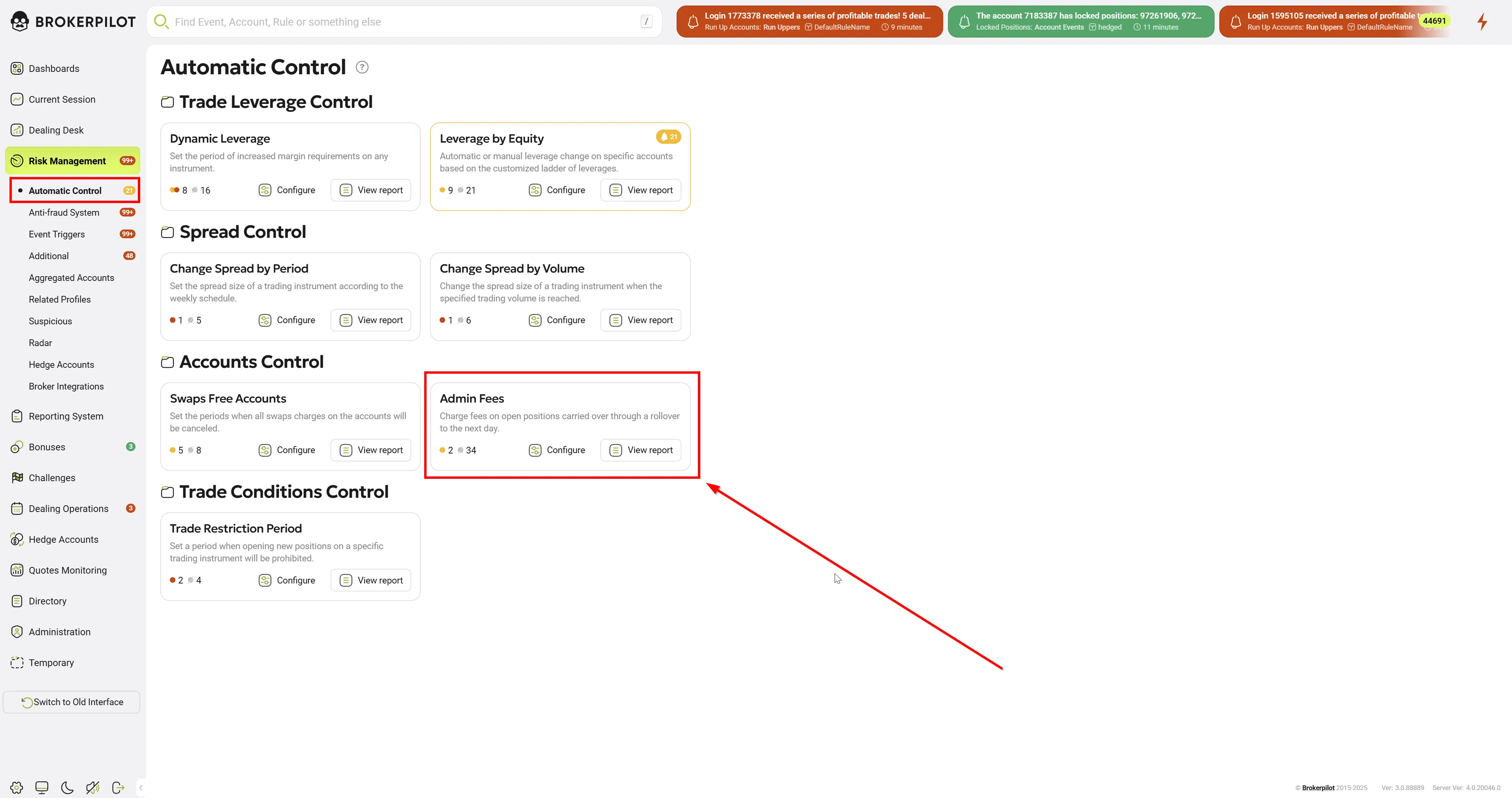
Edit Settings
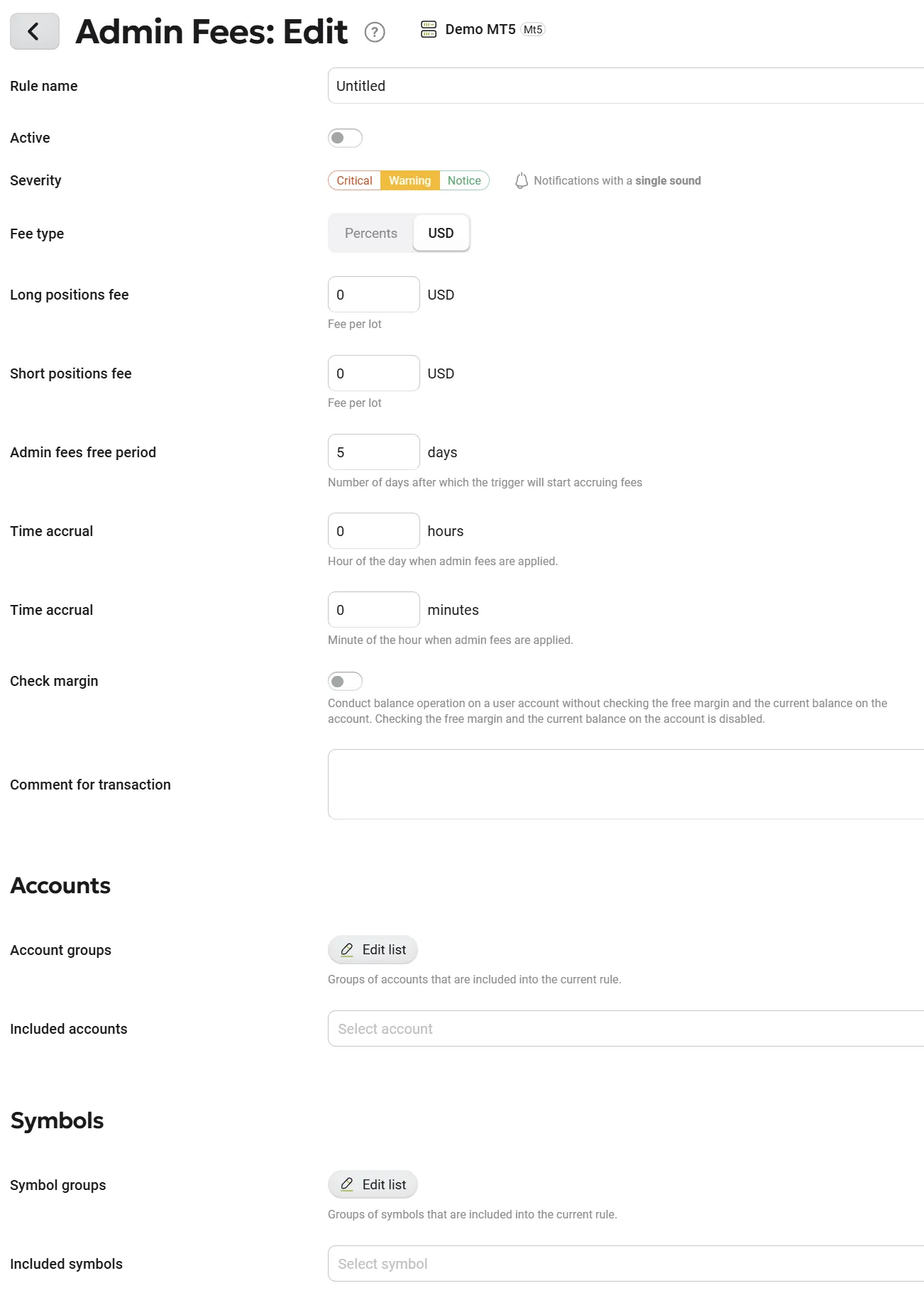
Below is a list of all the settings that can be applied to this rule:
| Parameter Name | Description |
|---|---|
| Rule Name | The name of the selected rule. |
| Fee Type | Select the fee type to apply. Options: USD or percentage. |
| Long Positions Fee, USD | Set the fee amount for long positions. |
| Short Positions Fee, USD | Set the fee amount for short positions. |
| Admin Fees Free Period | After how many days of keeping the position open the trigger starts applying fees. |
| Time Accrual (Hours) | Set the hour when the fee will be applied. |
| Time Accrual (Minutes) | Set the exact minute when the fee will be applied. |
| Comment for Transaction | A comment attached to the operation, visible to the trader on the trading platform. |
| Check Margin | Enable margin and balance checks before applying the fee. |
| Account Groups | Select account groups to be monitored. |
| Included Accounts | Select individual accounts to be monitored. |
| Symbol Groups | Choose symbol groups to be monitored. |
| Included Symbols | Select specific symbols to be monitored. |
Permissions
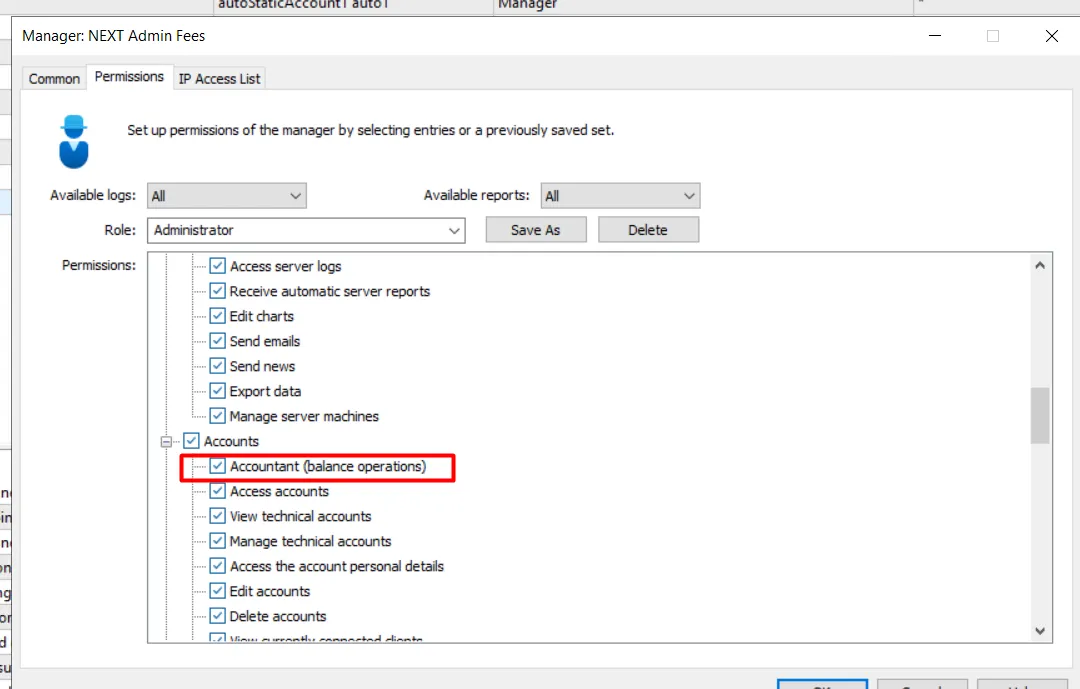
Please note that as an optional customization (not a mandatory requirement), you can create an additional MT manager to work with this trigger. If you choose this option, you must assign the Accountant permission to this newly created manager. Additionally, you will need to assign the specific account and symbol groups that you plan to use with this functionality to this manager.
MT5 Permissions
Trigger Logic
- The trigger executes at the time specified in the "Time Accrual" settings.
- The fee is applied only once per day on an eligible position.
- If Brokerpilot is restarted, the fee will be applied after the next rollover process completes.
- If the fee cannot be applied (e.g., due to communication issues with the MT server or lack of necessary permissions), a manual accrual button will appear in the notification window.
Fee Application Notification
- The Risk Management section logs fee applications.
- A successful fee charge is marked as:
📌 “Admin fees were charged automatically by AI.” - If the fee was not applied, it remains in the list of unprocessed notifications, and a manual accrual option becomes available.
Fee Calculation
- The fee calculation type (percentage or USD) is set separately for long and short positions.
- The trigger calculates and applies the appropriate fee amount to each position using predefined formulas.
- Admin Fees Free Period: The trigger does not apply fees during the free period (in days) from the position’s opening date.