Latency Arbitrage
General Information
The Latency Arbitrage trigger detects and alerts brokers about profitable trades executed during price feed gaps (missing quotes in the trading platform).
📌 Purpose: Identifies traders exploiting delayed market data for unfair advantages.
Menu Navigation
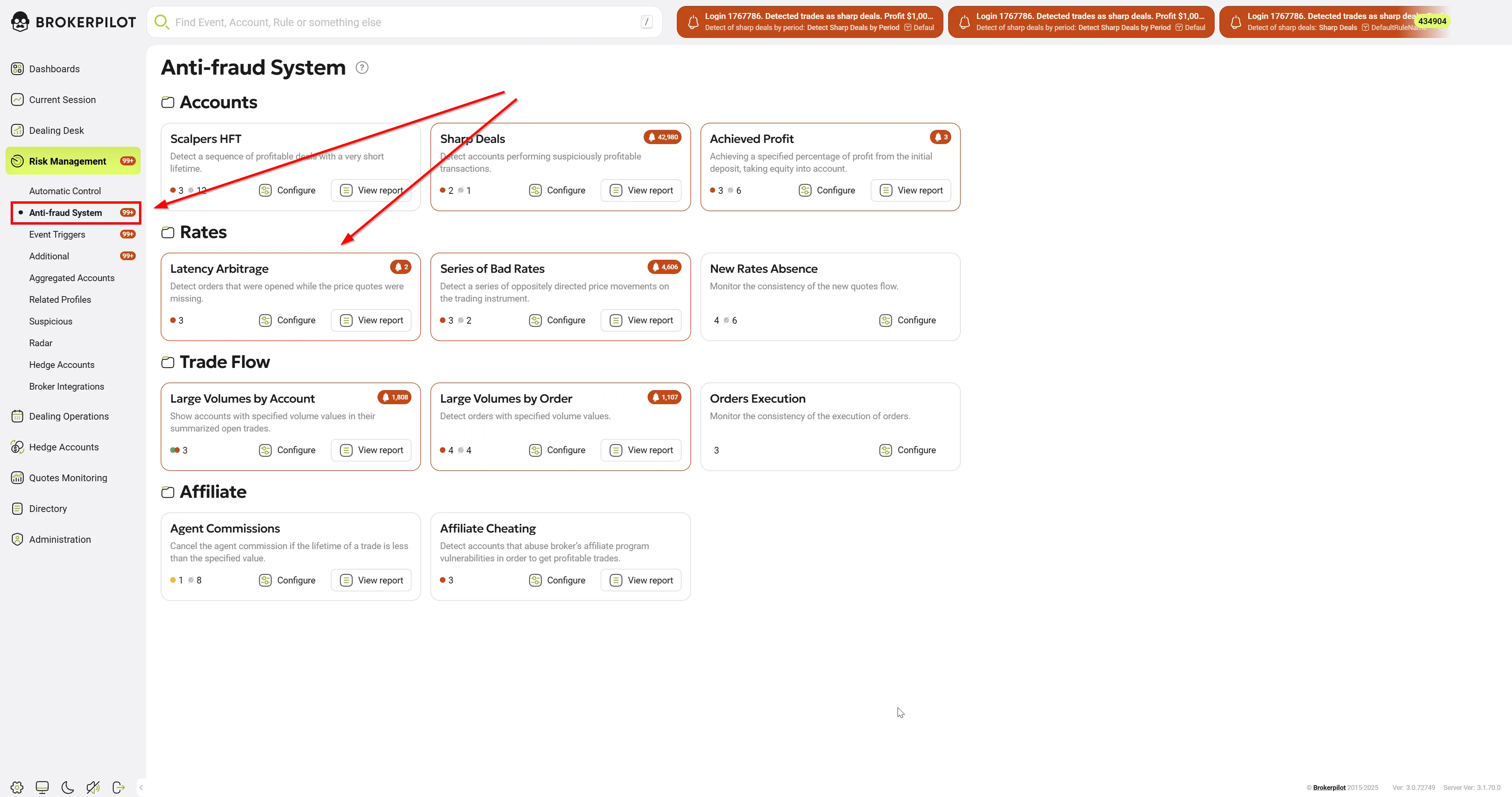
📌 Risk Management → Anti-Fraud System
Edit Settings ⚙️
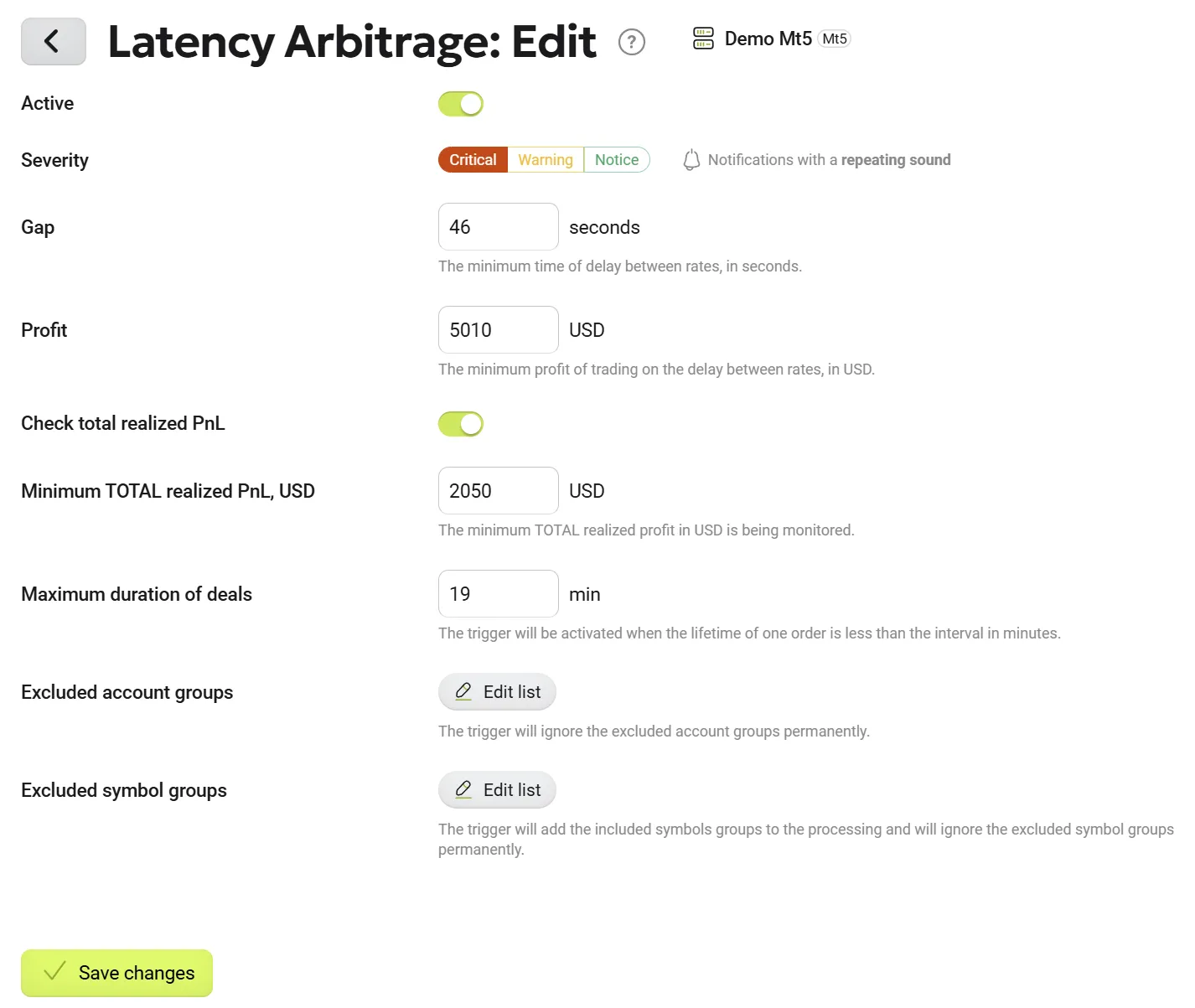
Available Settings
| Parameter Name | Description |
|---|---|
| Gap, Seconds | Defines the minimum time between ticks that qualifies as a price gap. |
| Profit, USD | The minimum profit required for a trade to be considered in the trigger. |
| Check Total Realized PnL | Enables/disables total realized profit monitoring. |
| Minimum Total Realized PnL, USD | The minimum total profit required for the trigger to react. |
| Maximum Duration of Deals, Minutes | The maximum trade lifetime to be considered as latency arbitrage. |
| Excluded Account Groups | List of account groups excluded from monitoring. |
| Excluded Symbol Groups | List of trading symbols excluded from monitoring. |
Notification Breakdown
-
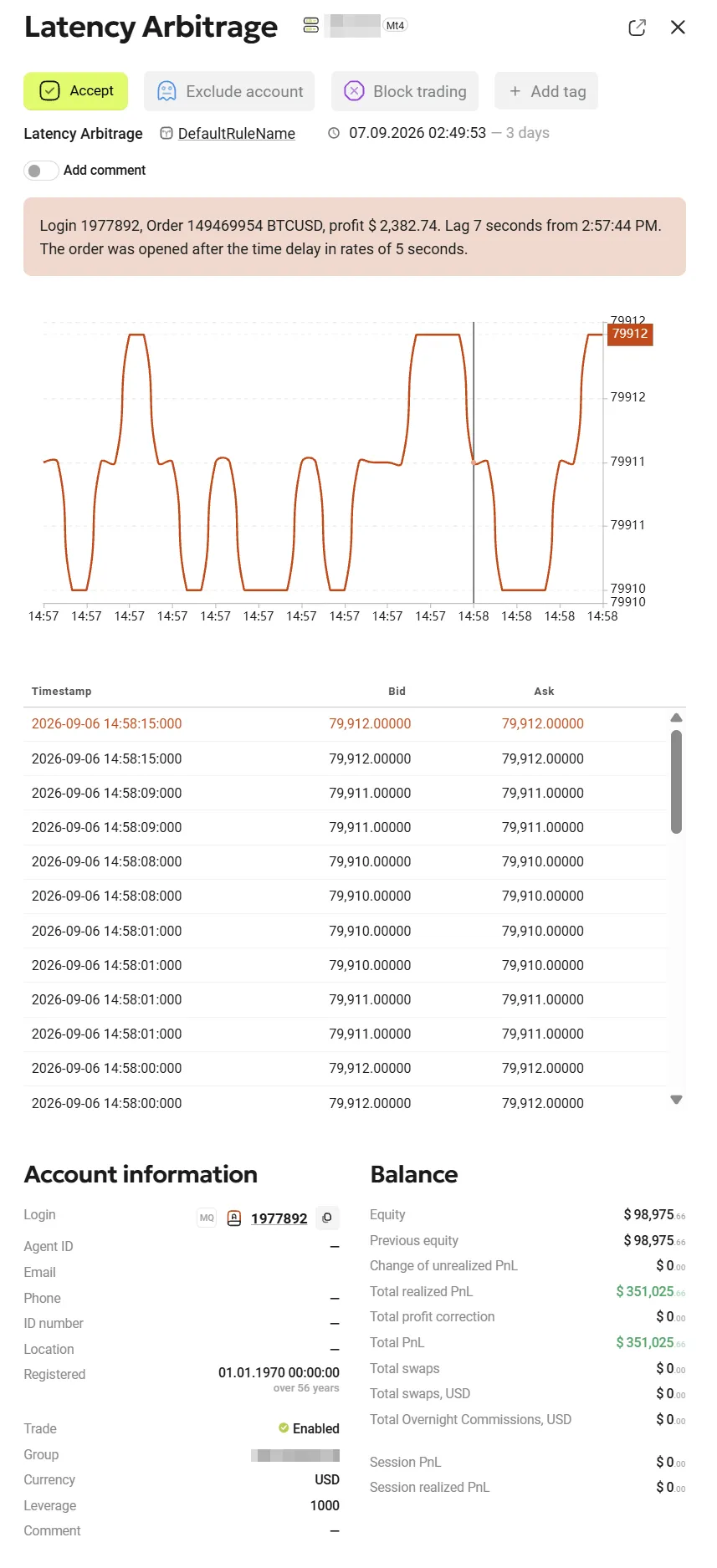
Login: The unique identifier of the trading account.
-
Order & Symbol: The specific ticket number and the traded asset (e.g., 143117219 BTCUSD).
-
Profit: The financial gain realized from this specific transaction.
-
Total Lag Time: The overall duration (in seconds) of the delayed quote feed detected by the system.
-
Order Execution Timing: Specifies the exact second within the latency window when the trader actually opened the position.
Visual and Data Analysis
-
Price Chart: Displays the asset's price movement over time, allowing you to visually identify the flatline or sudden discrepancy caused by the delayed feed prior to the trade execution.
-
Tick Table: Shows the raw Bid and Ask timestamps surrounding the event. The top row, highlighted in red, pinpoints the exact tick that breached your configured parameters and triggered the alert.
Supplementary Investigation Tools
-
Account Information Page: Review the trader's overall activity to identify consistent, repeated patterns of latency exploitation rather than isolated incidents.
-
Order Information: Check this section for granular details on execution times, requested versus filled prices, and potential slippage.
-
PnL History by Rates Chart: Use this chart to directly correlate sudden profit spikes with specific periods of quote delays across the trader's lifecycle.
Permissions
| MT4 | MT5 |
|---|---|
| No specific permissions are required. | No specific permissions are required. |
Trigger Logic 🔍
How It Works:
1️⃣ The trigger monitors price feed gaps where no quotes were available for an extended time.
2️⃣ If a trade is opened during a gap period, it is flagged for monitoring.
3️⃣ If the trade is closed within the time limit set by Maximum Duration of Deals, it is further analyzed.
4️⃣ If the profit exceeds the Profit in USD threshold, a notification is generated.
5️⃣ If a trade remains open longer than the threshold, it is removed from monitoring (not considered latency arbitrage).
🎯 Key Takeaways:
✅ Detects traders exploiting price feed gaps.
✅ Customizable profit & duration thresholds.
✅ Filters out long-term trades to prevent false alerts.
✅ Essential anti-fraud tool for brokers.