New Rates Absence
The New Rates Absence semaphore is designed for continuous monitoring of quote feed stability and automatic notification of dealers in case of delays or complete absence of new prices for trading instruments.
Location
In the left sidebar menu, navigate to Risk Management -> Execution & Feed Stability.
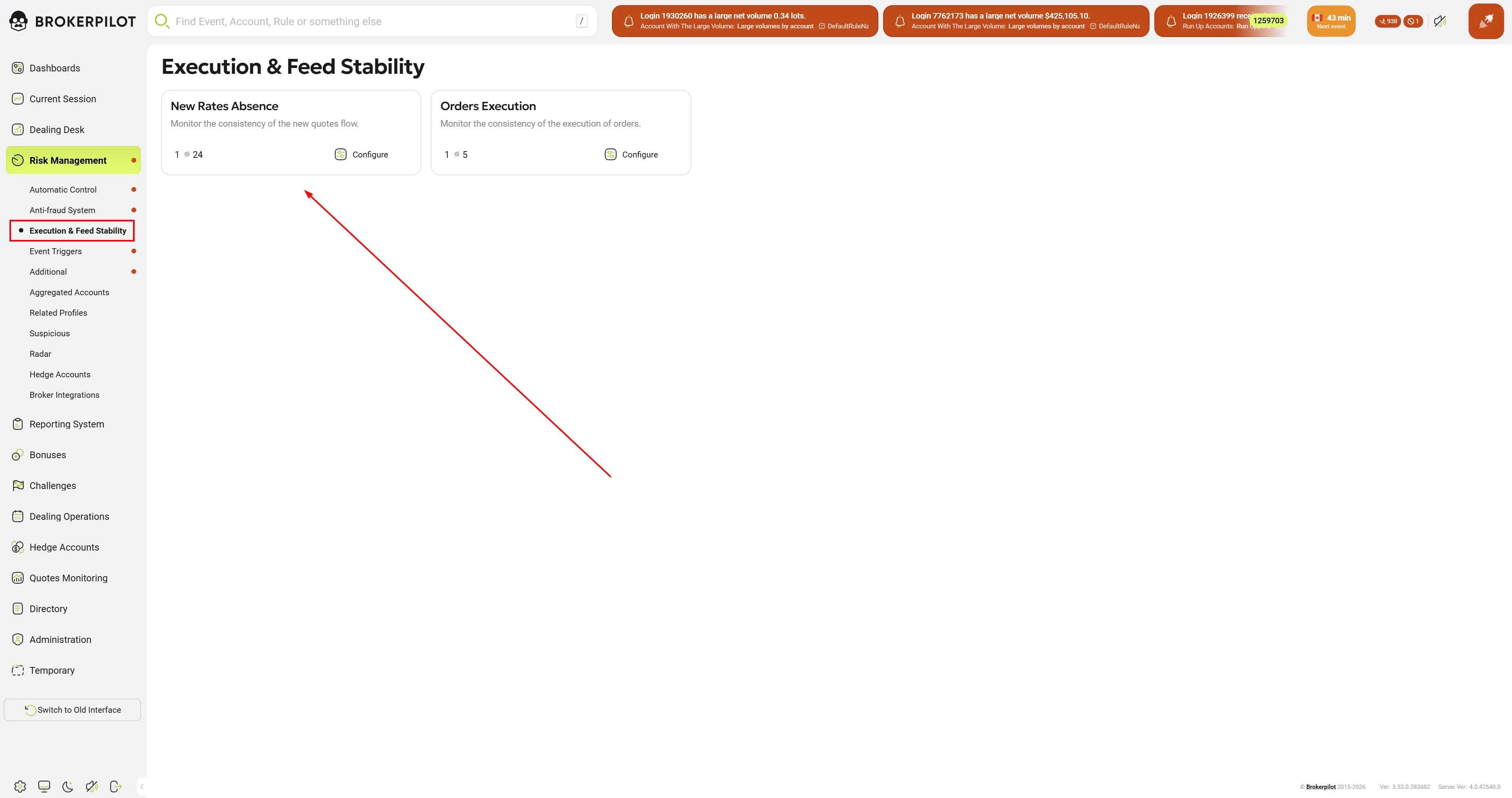
The New Rates Absence card displays a brief summary of active rules. To proceed to settings, click the Configure button.
Rule Configuration
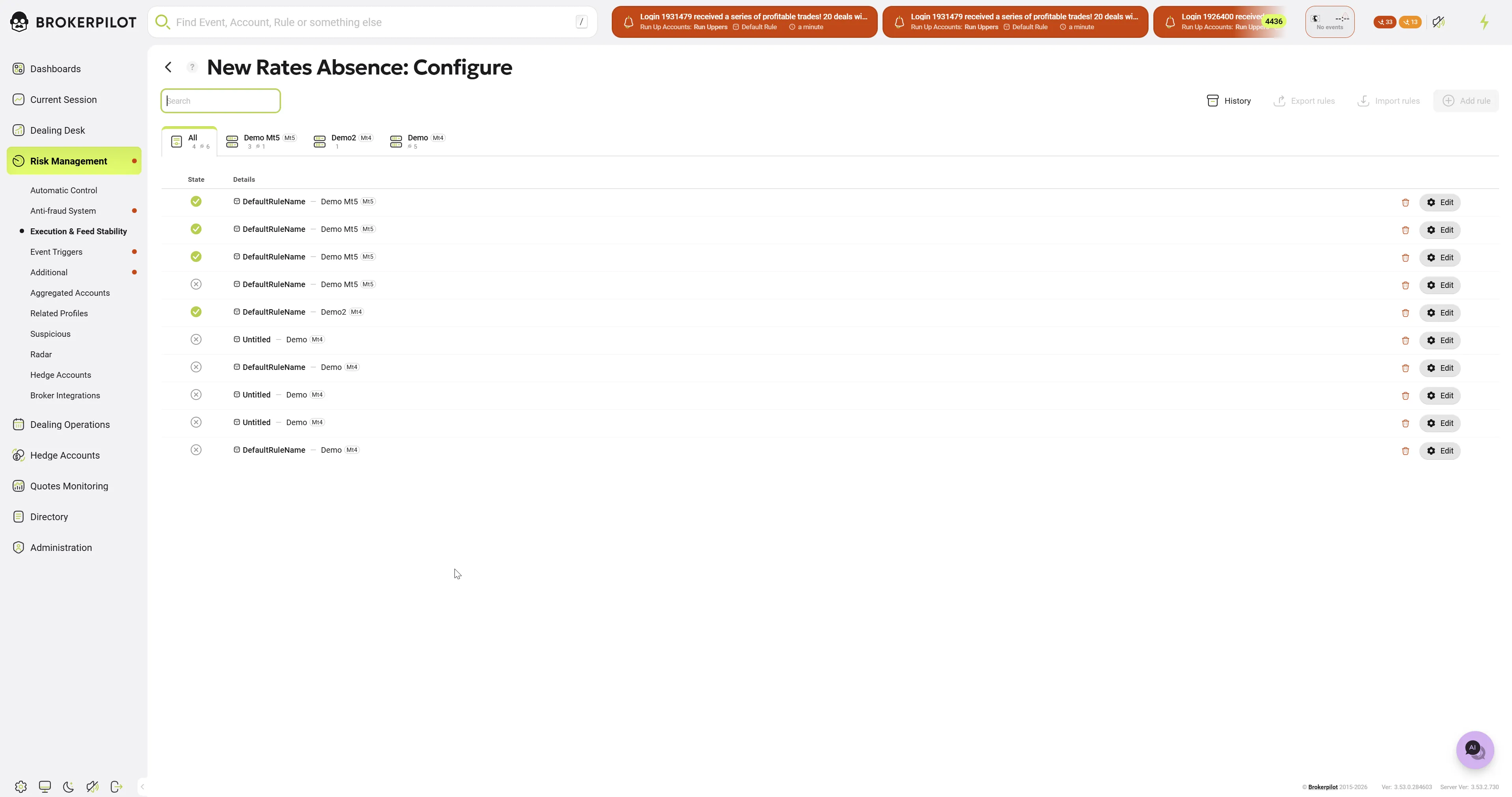
By clicking Configure, you enter the list of rules. When creating a new rule or editing an existing one (the New Rates Absence: Edit window), the following settings are available:
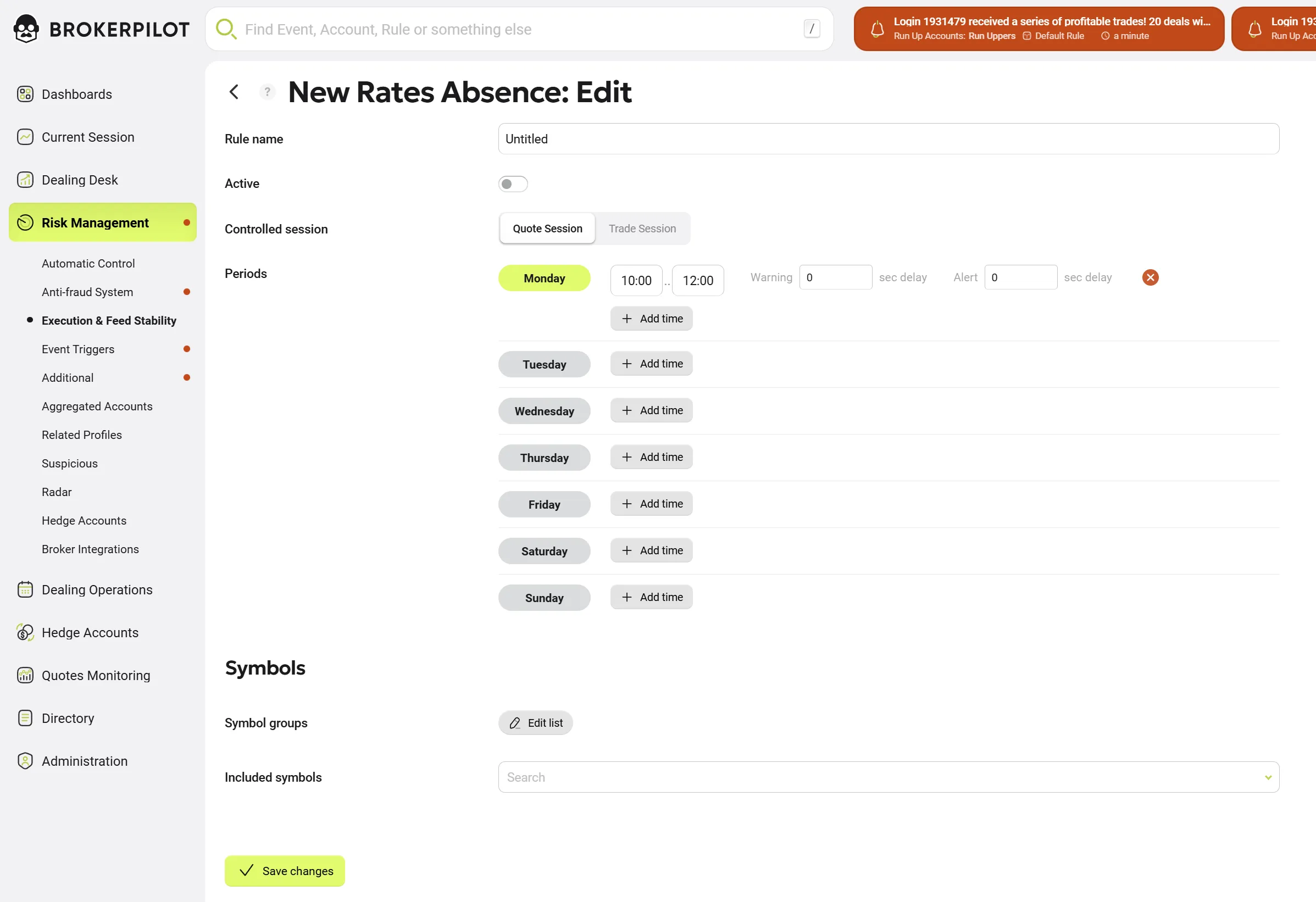
- Rule name: A custom name for the rule for easy identification.
- Active: A toggle (on/off) that activates or deactivates the rule.
- Controlled session: Selection of the session type during which monitoring will be performed:
- Quotes Session — monitoring during the quoting session.
- Trade Session — monitoring during the trading session.
Periods Setup
Here you can flexibly configure the monitoring schedule by days of the week (from Monday to Sunday):
- An active time interval is set for each day (default is
00:00 - 23:59). - Using the + Add time button, you can add multiple intervals for a single day.
- Warning ... sec delay: The delay in seconds after which the system will register a Warning.
- Alert ... sec delay: The delay in seconds after which the system will generate a critical notification (Alert).
Symbols Setup
The list of instruments to which the rule applies is configured at the bottom of the window:
- Symbol groups: Applying the rule to entire groups of symbols.
- Included symbols: Selecting specific symbols (via search) to be included in monitoring (e.g.,
AUDUSD).
To save the settings, click the Save changes button.
Monitoring and Alert Handling
If quotes stop arriving for any instrument and the specified time limit (Alert delay) is exceeded, the system generates a notification.
If there are no semaphore notifications at the moment, the semaphore notifications card will not be visible. The card displays the real-time count of active warnings or alerts for the Execution & Feed Stability semaphores:

-
New Rates Absence (Left): Marked with a descending chart line icon, this badge indicates the total number of current notifications for missing or delayed quotes.
-
Orders Execution (Right): Marked with a restriction/block icon, this badge indicates the number of active notifications regarding order execution inconsistencies or delays.
You can view problematic instruments by clicking on the semaphore notifications card in the top right panel (near the event indicator). A widget will open, and the "No Rates for the following symbols:" block will present a list containing:
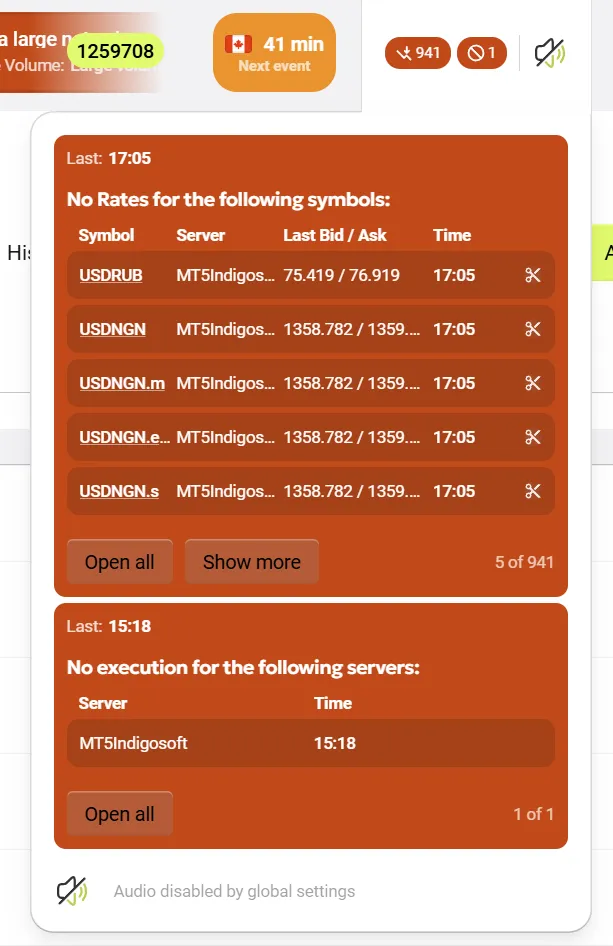
- Symbol: The name of the instrument.
- Server: The name of the trading server.
- Last Bid / Ask: The last recorded Bid and Ask prices.
- Time: The time the last quote was received.
Two buttons are available at the bottom of the widget:
- Show more: Expands the list by 5 instruments.
- Open all: Opens the full, extended list of missing quotes as a separate full-screen table. Clicking the instrument card will open the rule settings in the drawer. Ckicking the insrument link will open the instrument specifications page. The Export button is also available in this window (in the top right corner) to download the data to .csv file.
Excluding Symbols (Exclude)
If the absence of quotes for a specific symbol is expected (e.g., due to maintenance or specific instrument characteristics), you can exclude it from monitoring to avoid receiving false alerts.
- In the list of problematic instruments (in the widget or full table), click the "scissors" icon in the row of the desired symbol (to the right of the Time column).
- The Exclude panel will open on the right.

-
Select the period for which the symbol will be excluded from checks for the given server:
- One hour
- 12 hours
- One day
- One week
- Forever
-
Click the Save Changes button at the bottom to apply the exclusion.
-
The excluded instrument will go into the exclusion list in the corresponding rule for the specified duration.