Orders Execution
General Information
The Orders Execution semaphore ensures the consistency of order execution on the trading server.
🔹 If order execution stops for a specified period, the semaphore generates a notification.
Menu Navigation
📌 You can find the Orders Execution trigger under:
Risk Management → Anti-Fraud System
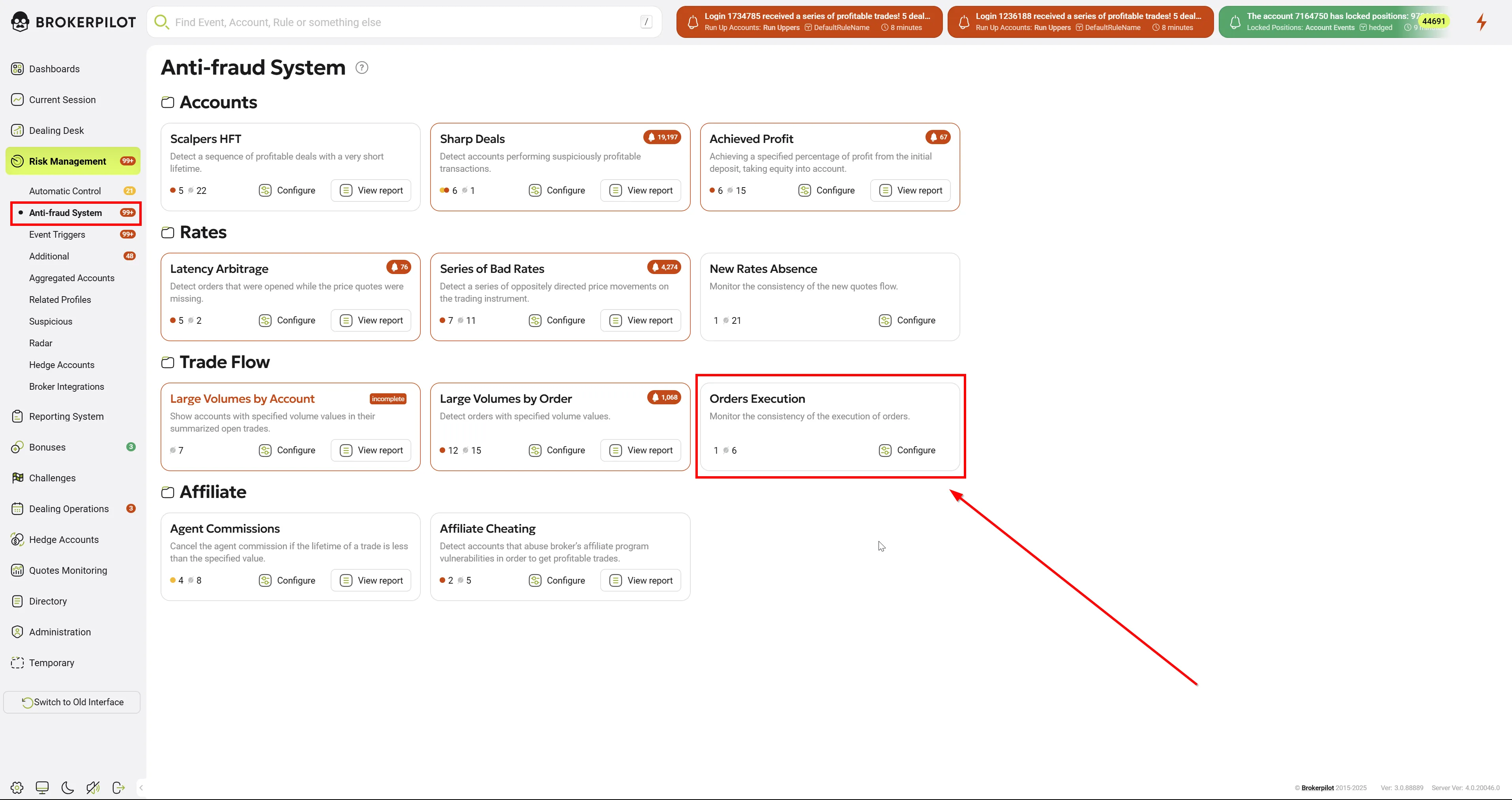
Edit Settings
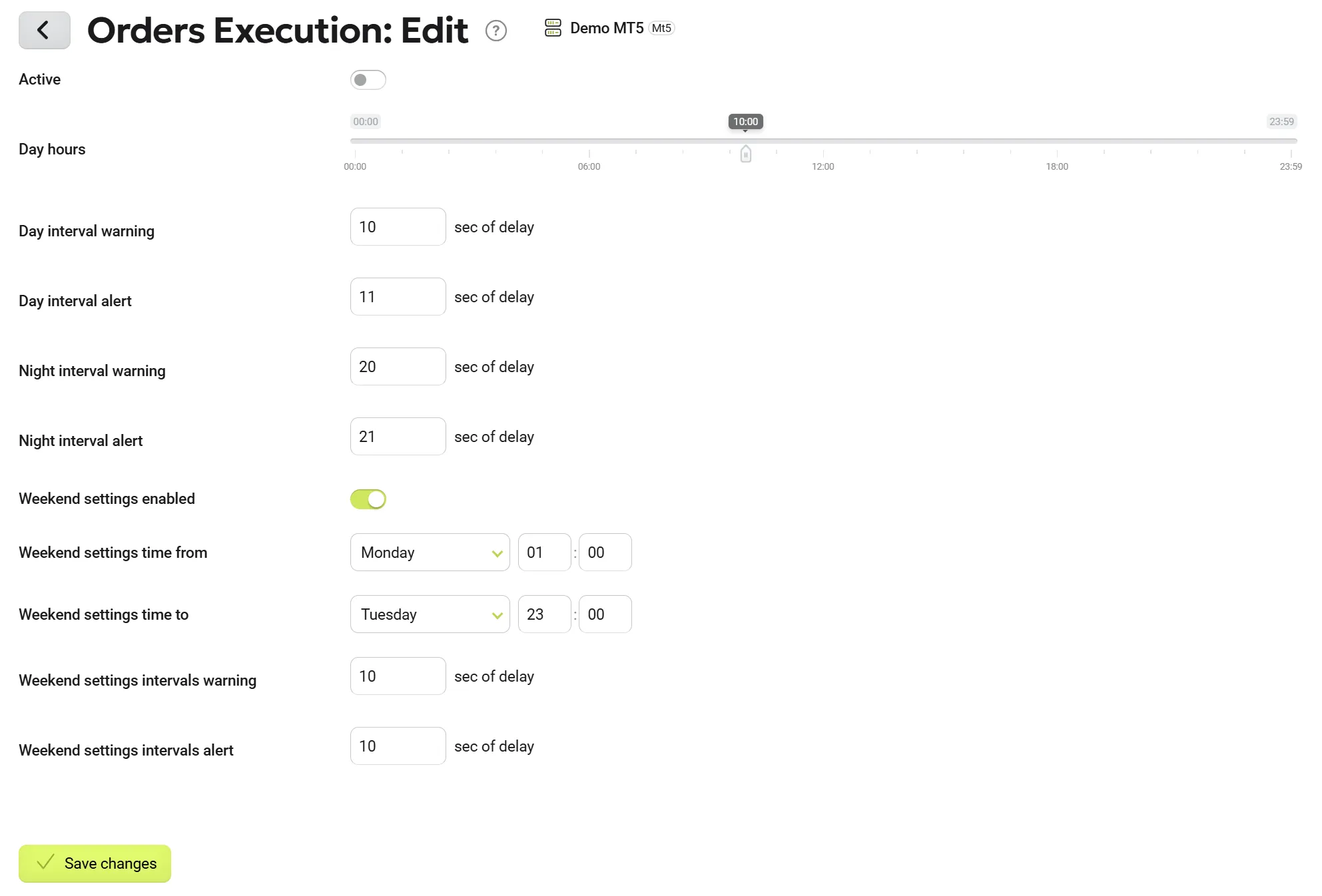
Configuration Options
- The semaphore allows two different monitoring modes:
- Daytime Mode
- Nighttime Mode
- Threshold Setting:
- Define the daytime hours threshold.
- Notification Intervals:
- Each mode supports two types of alerts:
- Warning
- Alert
- Each mode supports two types of alerts:
- Weekend Mode:
- Additional weekend mode settings are available for the semaphore.
Notifications
The notifications generated by the semaphore can be accessed by clicking the ⚡ Lightning button at the top right of the screen.
| Parameter Name | Description |
|---|---|
| Open Settings | Direct link to the semaphore settings. |
Semaphore Logic
If the specified timeout for order execution is exceeded, the semaphore generates a notification for the dealer.