New Rates Absence
General Information
The New Rates Absence semaphore monitors the consistency of the quotes flow. If the price feed of a trading symbol is missing for a specified period, the semaphore generates a notification.
🔹 The semaphore can be configured individually for:
- All symbols
- Groups of symbols
- Single trading symbols
- Symbols can also be excluded from the semaphore coverage.
Menu Navigation
📌 You can find the New Rates Absence trigger under:
Risk Management → Anti-Fraud System
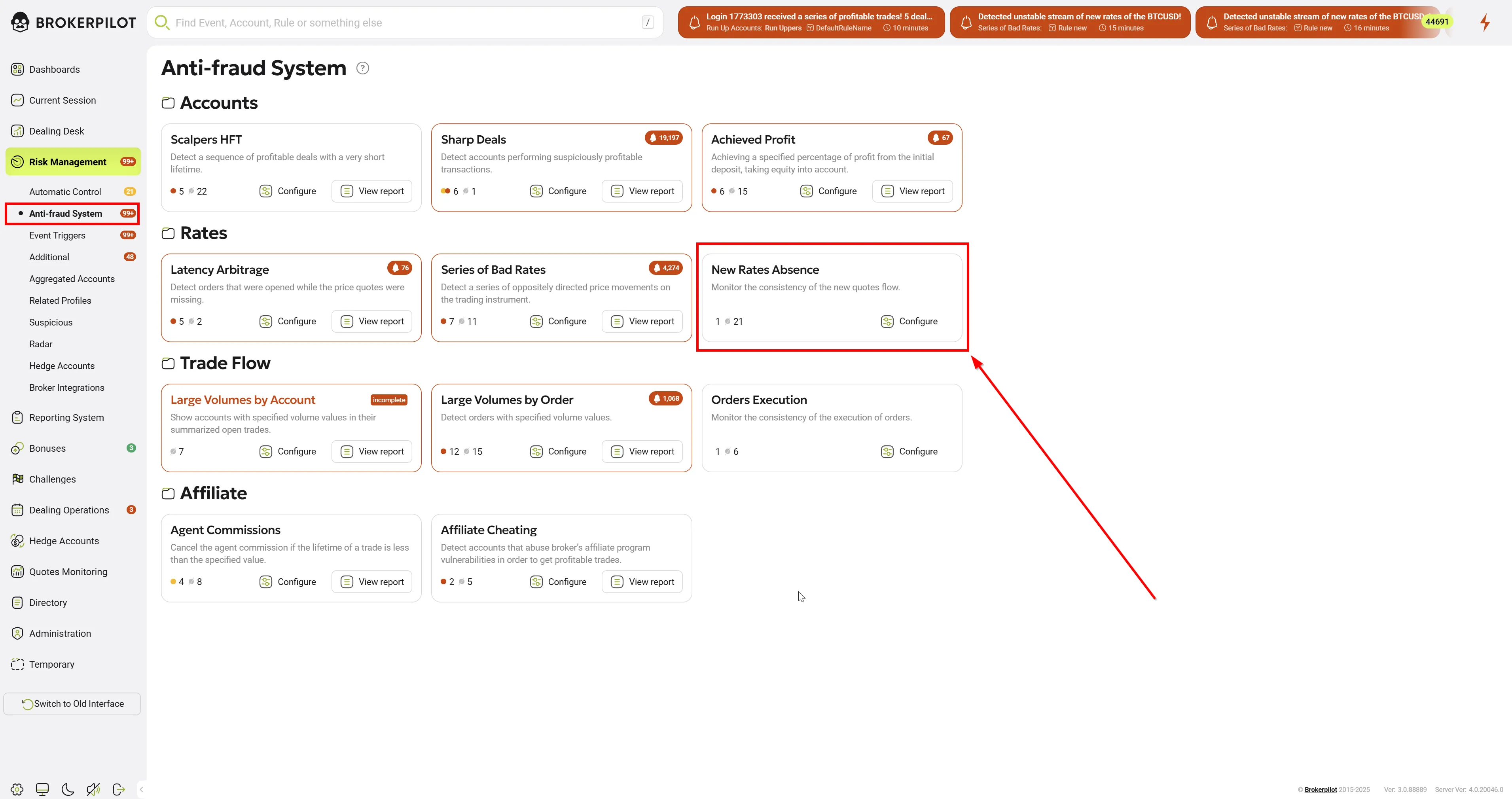
Edit Settings
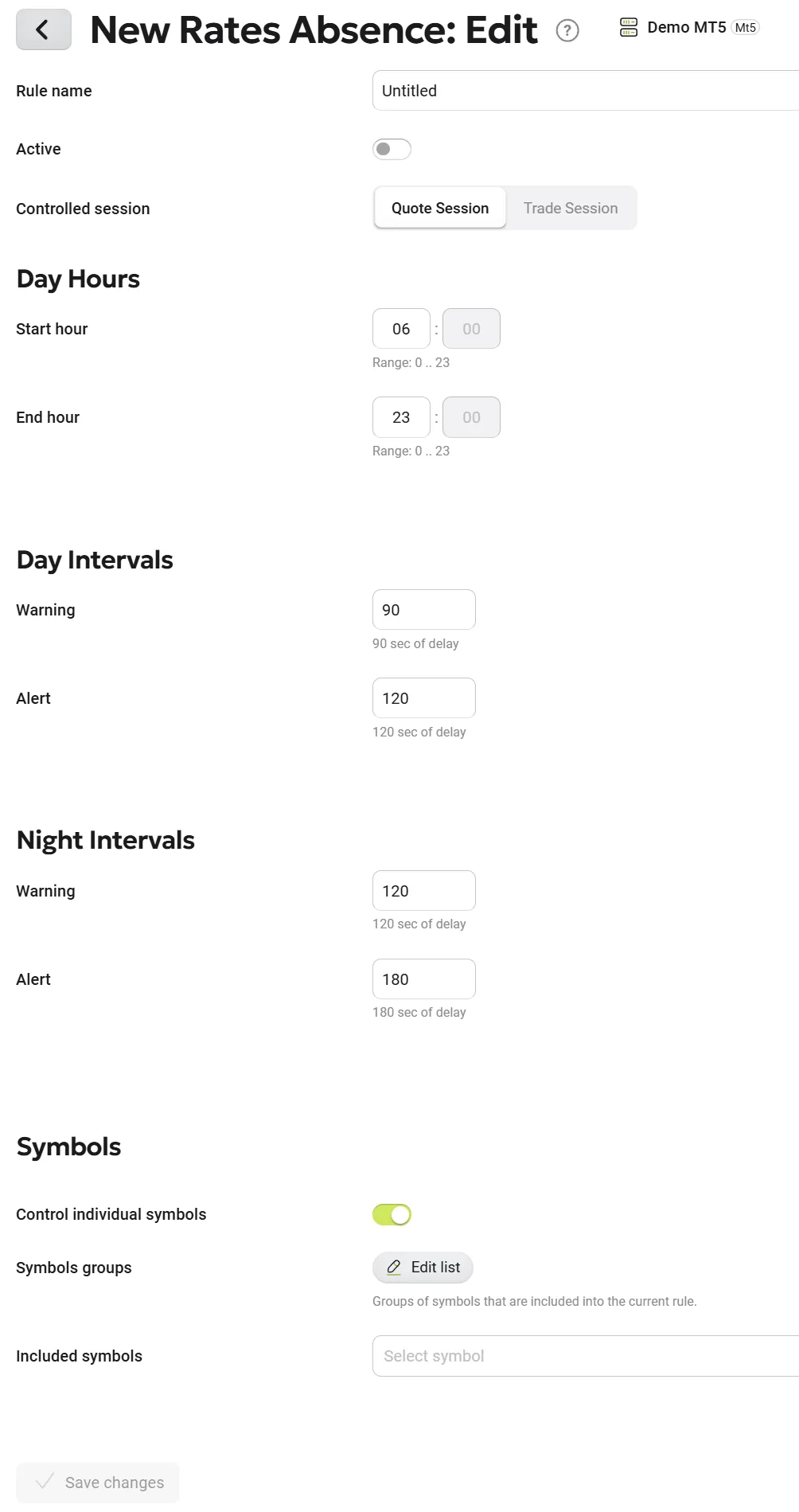
Configuration Options
- Control Individual Symbols:
- Enabling this switch automatically applies monitoring to all symbols.
- When enabled, symbol-specific settings become unavailable.
- Custom Symbol & Group Selection:
- Users can manually add specific symbols or groups for monitoring.
- Session Type Selection:
- Users must define which session type to analyze:
- Quote Session – The period when the terminal receives quotes.
- Trade Session – The period when trading is allowed.
- The quoting session is typically longer than or equal to the trading session.
- Users must define which session type to analyze:
Semaphore Modes
- Two monitoring modes can be configured:
- Daytime Mode
- Nighttime Mode
- Each mode supports two types of notifications:
- Warning
- Alert
- Users must specify the desired time interval (in seconds) for each notification type.
Notifications
The notifications generated by the semaphore can be found by clicking the ⚡ Lightning button at the top right of the screen.

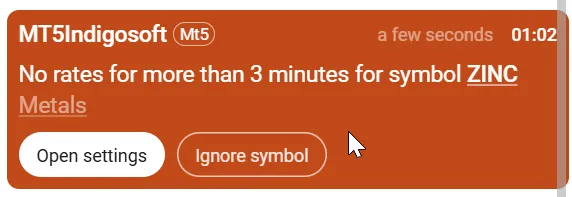
Notification Options
| Parameter Name | Description |
|---|---|
| Open Settings | Direct link to the semaphore settings. |
| Ignore Symbol | Excludes the symbol from monitoring. |
Semaphore Logic
If the specified timeout for quotes is exceeded, the semaphore generates a notification for the dealer.