Sharp Deals
General Information
The Sharp Deals trigger is designed to identify accounts that execute a series of profitable transactions during last 24 hours.
Menu Navigation
You can find the Detect Sharp Deals trigger under:
Risk Management → Anti-Fraud System
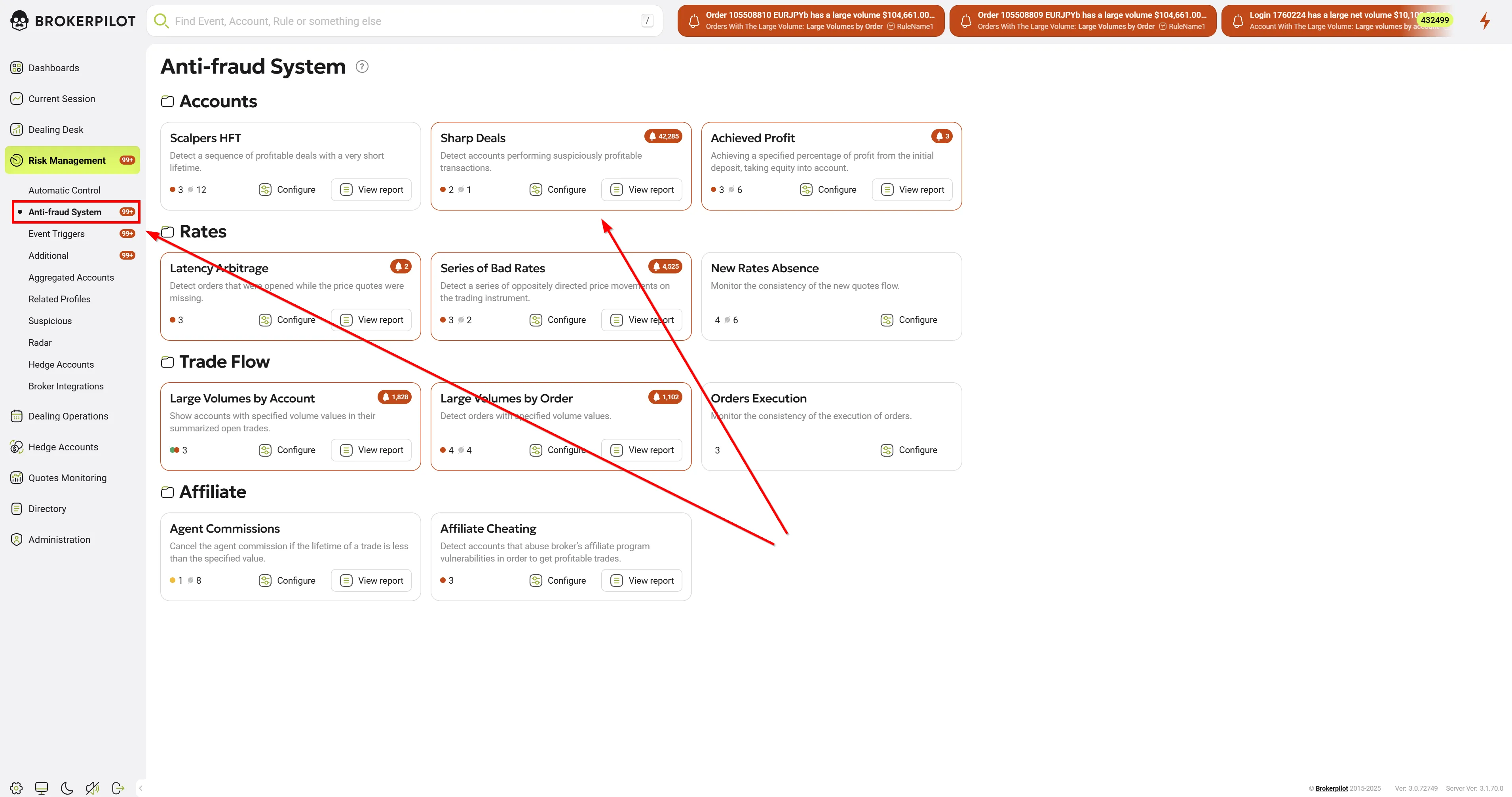
Edit Settings ⚙️
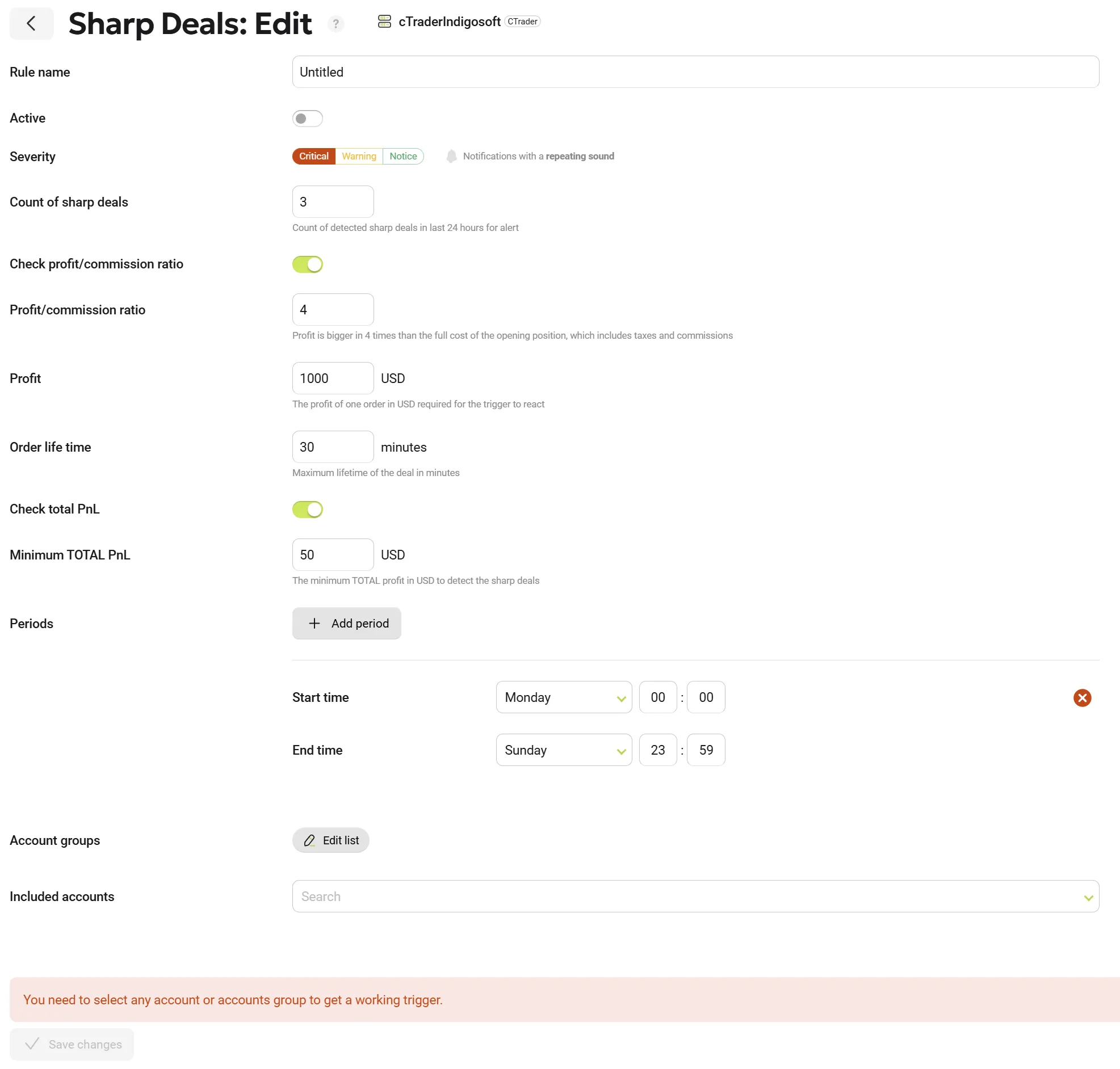
Available Settings
| Parameter Name | Description |
|---|---|
| Rule Name | Assign a specific name to the rule. |
| Count of Sharp Deals | Number of profitable transactions during last 24 hours required for the trigger to activate. |
| Check profit/commission ratio | Optional parameter. |
| Profit/commission ratio | Profit should be bigger specified number of times than the full cost of the opening position, which includes taxes and commissions. |
| Profit | Minimum order profit (in USD) required to trigger an alert. |
| Order Life Time | Maximum lifetime of a single position before it is considered for monitoring. |
| Check Total PnL | If enabled (ON), the trigger considers the total realized profit of the account. |
| Minimum TOTAL PnL, USD | The minimum total profit (in USD) to be taken into account. |
| Periods | Specify the exact time periods during which the trigger should be activated. |
| Account Groups | Specify account groups for monitoring. |
| Included accounts | Specify individual accounts for monitoring. |
Permissions
| MT4 | MT5 |
|---|---|
| No specific permissions are required. | No specific permissions are required. |
Trigger Activation Conditions:
✅ Order lifetime does not exceed the Order Life Time parameter.
✅ Order profit exceeds one of the following thresholds:
- Profit in USD exceeds the Cost of Trading parameter.
- Profit in USD exceeds the Profit in USD parameter.
✅ If the number of successful transactions during last 24 hours equals or exceeds the Count of Sharp Deals setting, the trigger generates a notification with details of the detected transactions and the corresponding accounts.
Trigger Logic 🔍
The trigger monitors and remembers successful transactions, analyzing them at the moment of closing.
Trigger Activation Periods and 24-Hour Processing Logic
Core Processing Logic (Applies to All Periods)
- The 24-hour processing window is fixed and remains the same regardless of the selected activation period.
- The activation period defines only when the trigger generates notifications for the user.
- The analysis window always covers the last 24 hours from the moment of trigger execution.
Period: Monday–Thursday
- The trigger is active only from Monday to Thursday.
- During this period, all profitable trades closed within the last 24 hours (counting back from the current moment) are processed for the notifications.
- From Friday to Sunday, the trigger does not generate notifications for the user.
- However, the 24-hour trade history is preserved and will be used when the trigger becomes active again.
Period: Monday–Monday (One-Hour Window)
- The trigger is active only during the specified one-hour window on Monday.
- During this hour, all profitable trades closed within the last 24 hours (counting back from the current moment) are processed for the notifications.
- Outside of this hour, the trigger does not generate notifications for the user.
- The 24-hour trade history is preserved outside the active window.