Change Swaps
This section provides brokers with a convenient tool for the bulk management and automation of rollover swaps.
Core System Features:
-
CSV Data Import: Brokers can quickly perform bulk updates to swap values by uploading a prepared CSV file. The system automatically parses and processes the uploaded data.
-
Audit Trail: The platform maintains an archive of all previous uploads. This allows you to access the change history at any time, download old files, and conduct necessary analysis.
📌 Important: Feature Activation Procedure
To start using this feature, a two-way setup is required. After enabling the necessary permissions on the broker's side, you must contact Brokerpilot support team. The functionality will only become fully accessible after we activate it on our end.
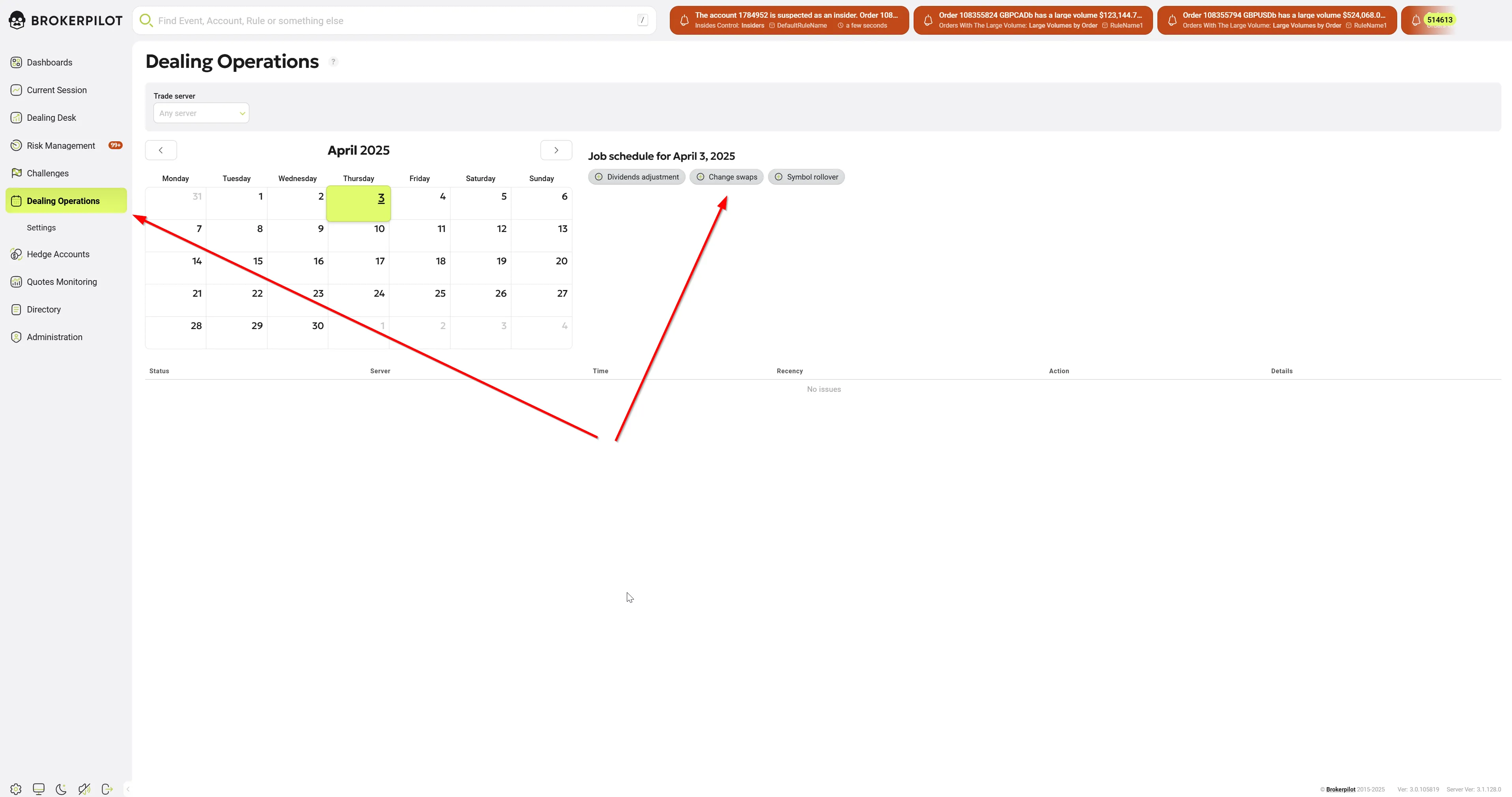
To access this feature, go to Dealing Operations > Change Swaps in the left-side menu.
Before proceeding, ensure your CSV file follows the required format.
To ensure successful database parsing and avoid upload errors, the file must adhere to the following technical specifications:
- File Format: Comma-Separated Values (
.csv) - Delimiter / Separator: Standard comma (
,). Semicolons (;) or tabs are not supported. - Decimal Separator: Period (
.) must be used for all floating-point numbers (e.g.,-5.25). Do not use commas for decimals, as this will break the column alignment. - Encoding:
UTF-8(without BOM) is highly recommended to prevent character corruption. - Line Endings: Standard
CRLF(Windows) orLF(Unix/Linux). Each asset must reside on a separate row. - Spacing: Do not include leading or trailing spaces around commas (e.g., use
EURUSD,-5.20,-1.50instead ofEURUSD , -5.20 , -1.50).
2. File Structure
The CSV file should contain exactly three columns. Including a header row is required to map the fields correctly to the platform configuration.
Required Columns:
- Symbol: The unique identifier or ticker of the financial instrument (e.g.,
EURUSD,GBPUSD). - SwapLong: The swap value or rate applied to long positions (buy orders).
- SwapShort: The swap value or rate applied to short positions (sell orders).
EURUSD,-5.20,-1.50
GBPUSD,-3.10,-2.80
USDJPY,4.50,-8.20
USDCAD,-2.19,-1.72
AUDUSD,-3.10,1.04
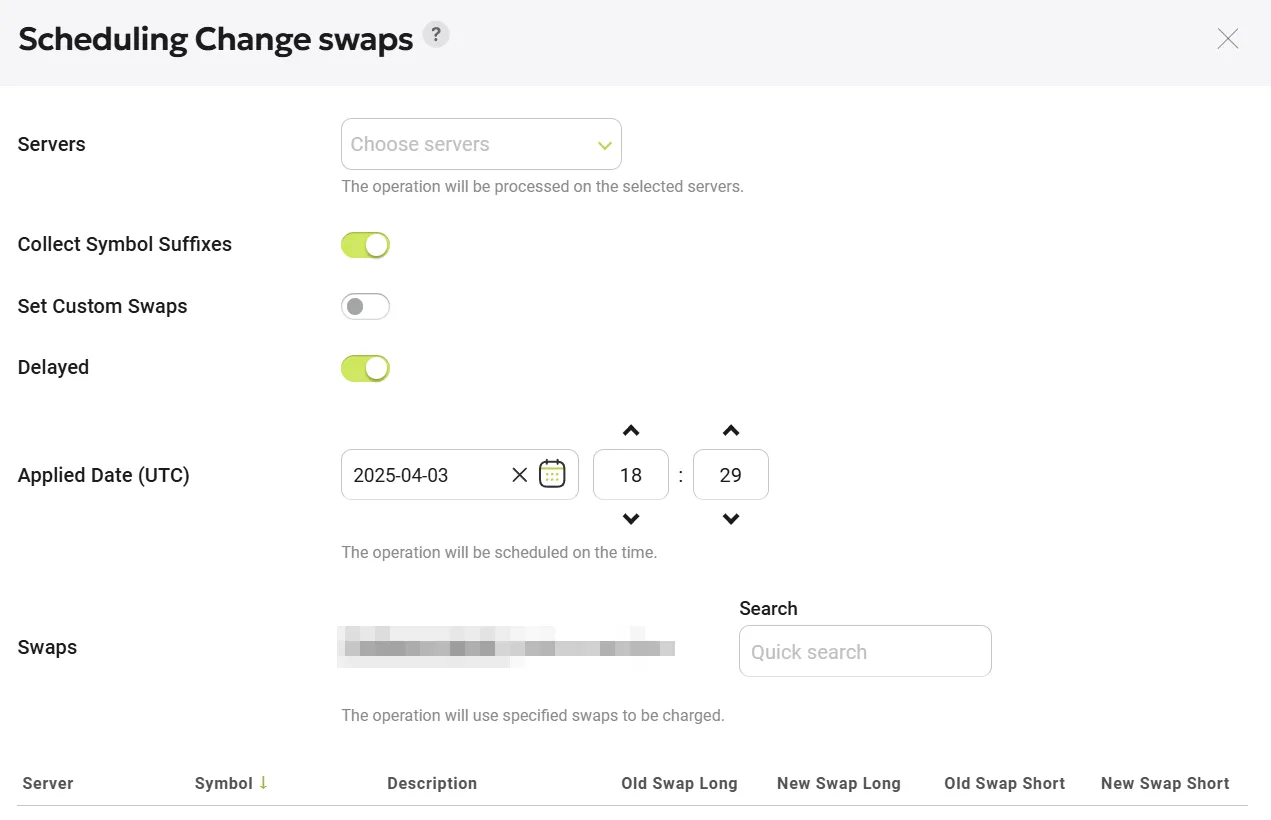
Once ready, upload your file and configure the parameters in the newly opened window as described below.
| Operation | Description |
|---|---|
| Choose File | Select the prepared CSV file following the provided format. |
| Servers | Specify one or more servers where swaps will be applied. |
| Collect Symbol Suffixes | Enable this option to merge symbols with suffixes (e.g., EURUSDc, EURUSDd, EURUSDcents) into a single entry (EURUSD). Disable it to display all symbols separately. |
| Set Custom Swaps | Custom swaps are normally applied on top of standard swaps. If the switch «Set Custom Swaps» is set to ON, then the values of custom swaps will be recalculated automatically. Custom swaps are calculated as a percentage to the basic rollover swaps. For instance, if the specified value of the custom swap is 200%, then the rollover swap of a particular symbol should be multiplied by 2. The value of the custom swap can either be positive (200%) or negative (-200%). |
| Delayed | If disabled, changes are applied immediately. Enable this option to schedule the swap update for a specific date and time. Scheduled jobs will appear on the calendar, marked with a dot. |
After setting the parameters, click "Preview and Schedule" to review the data.
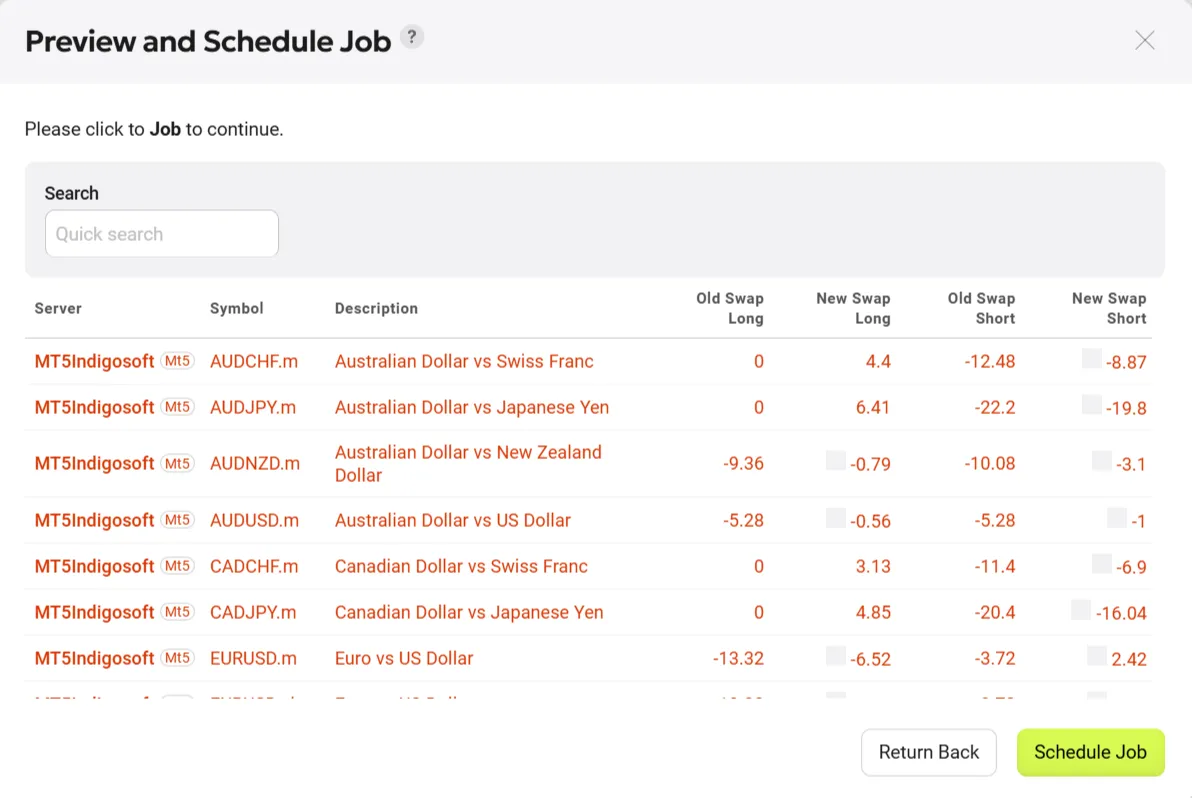
⚠️ Important: Before proceeding, visually verify that the new swap values do not deviate by more than 10% from the previous values.
To assist in this, the "Preview and Schedule" function will highlight any values exceeding a 10% difference in red with an exclamation mark.
Use the "Search" field to quickly locate specific symbols.
Once verified, click "Schedule" to apply the changes. The scheduled task will now appear in the system’s calendar.
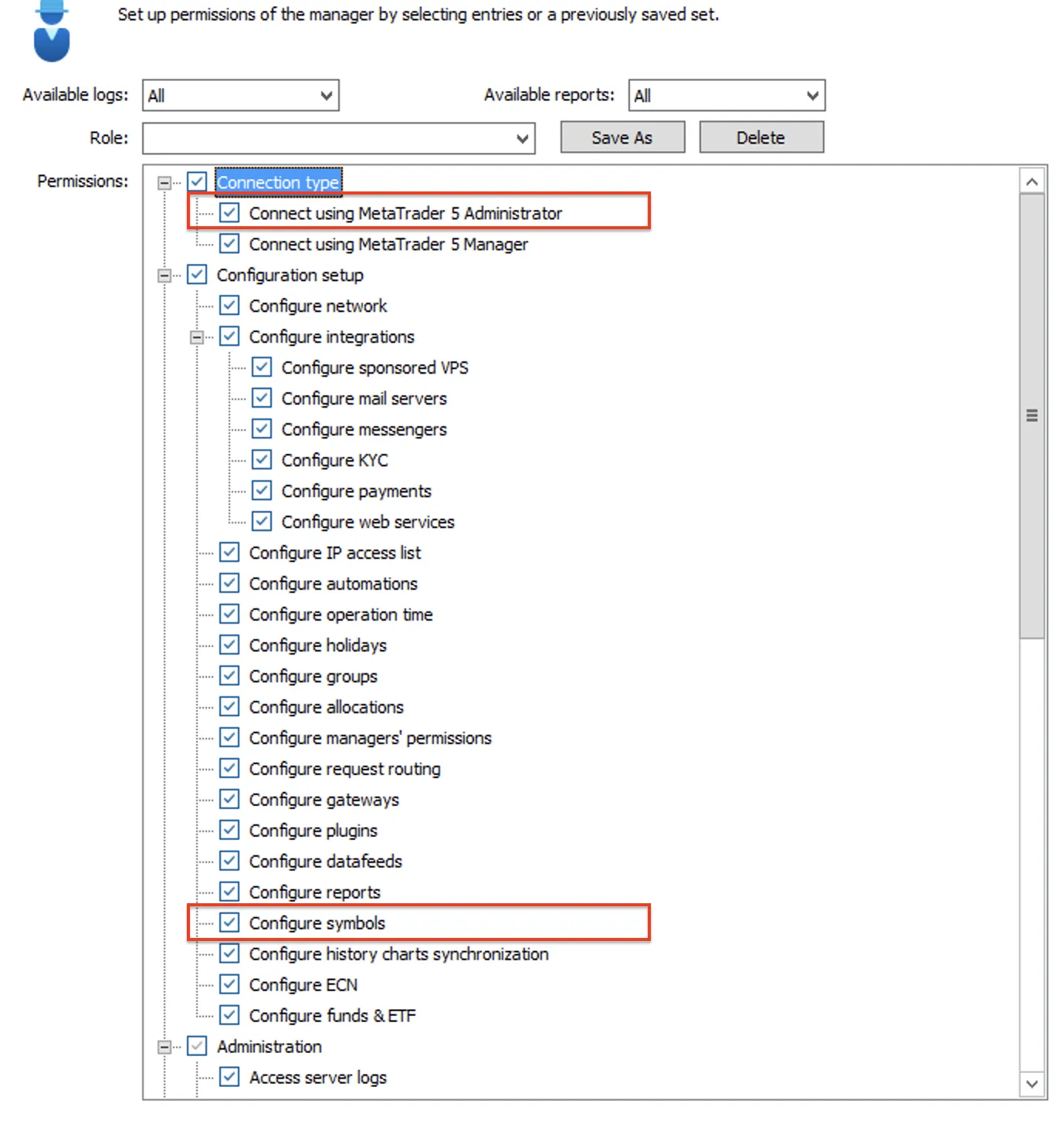
Permissions
To modify swaps, the following permissions must be granted in the Manager API for MT4 and MT5:
| Platform | Swap Application Method |
|---|---|
| MT4 | Uses CManagerInterface::CfgUpdateSymbol. Requires ADMIN permissions in the Manager API. |
| MT5 | Uses IMTAdminAPI::SymbolUpdate. Requires a separate ADMIN LOGIN for a dedicated connection to MT5. |