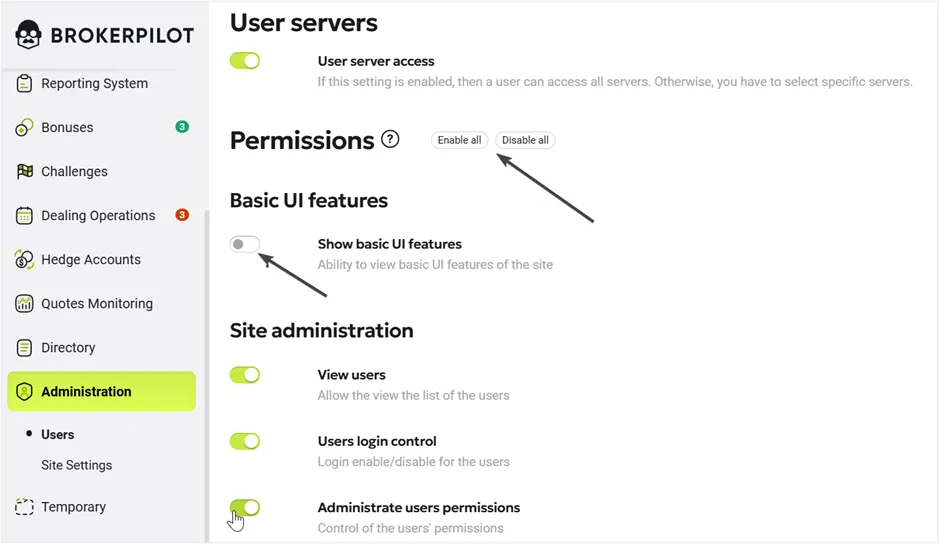
Permission Management System
Brokerpilot has a highly flexible permissions management system that allows you to categorize user permissions by offices, servers, and functions within the system.
Navigate to Administration – Users on the left-side menu to manage permissions. You will find two important buttons: Add User and Permissions.
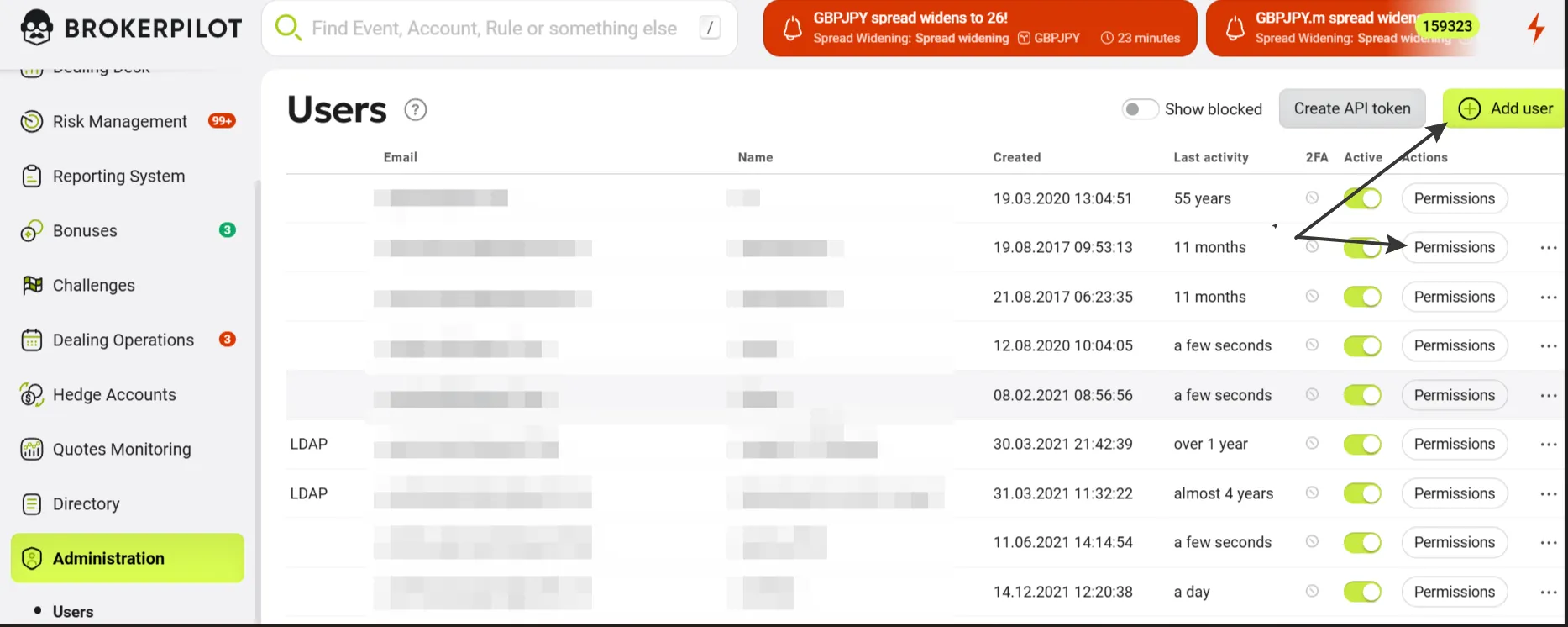
Adding a New User
Press the Add User button to add a new user.
Enter the name, e-mail, and an expiration date (if necessary). Press the Send Invite button. A user will receive the activation link by email, which is valid for 24 hours.

Managing Permissions
Click the Permissions button to add or remove permissions.
Scroll down to find the following blocks:
- Basic UI Features
- Site Administration
- Accounts
- A-Book
- B-Book
- Dealing
- Risk Management
- Dealing Desk Operations
- Bonuses
- Dealing Corrections
- Quotes Monitoring
- Dashboards
Then, use the switch to activate or deactivate specific sections. You can also manage permissions using the Enable All or Disable All buttons.