Symbols
1. Overview
The Symbols section, located within the Directory menu, serves as a comprehensive database of all financial instruments available across connected trading servers. It allows administrators to monitor technical configurations, trade statuses, and market classifications for every asset managed by the platform.
2. Main Inventory View
The primary interface provides a high-level table of all symbols.
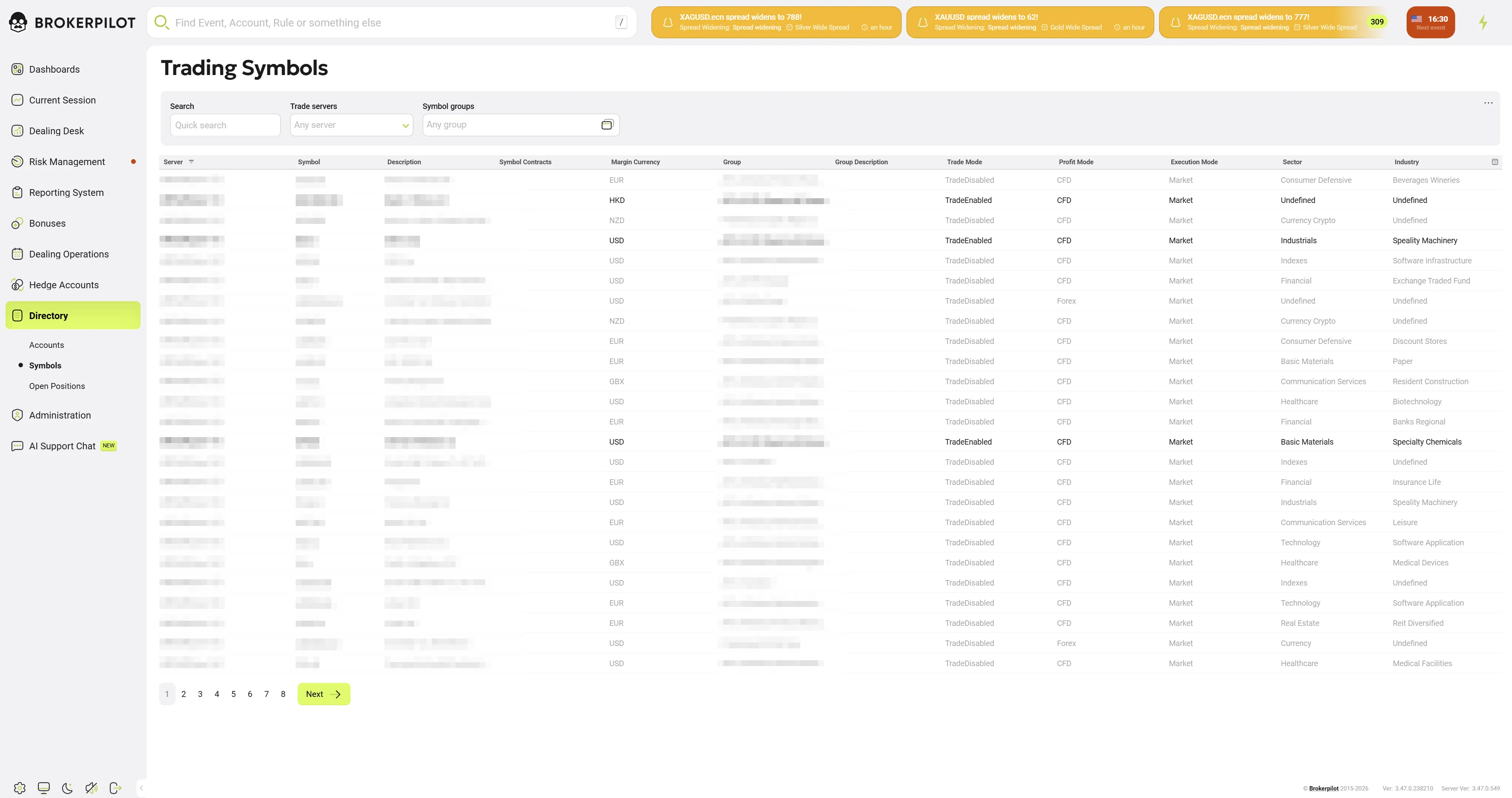
Search and Filtering
- Quick Search: Filter by symbol name or description.
- Trade Servers: Narrow results to specific platforms (e.g., MT5AFCLive).
- Symbol Groups: Filter by asset categories such as "Forex," "Shares," or "Crypto".
Data Columns
- Server: The specific trading server and platform type (MT4, MT5, cTrader).
- Symbol: The unique ticker identifier (e.g.,
IEX.N). Note: Clicking the symbol name opens a detailed settings modal. - Description: The full name of the asset (e.g.,
IDEX Corp). - Trade Mode: Displays the current status, such as
TradeEnabledorTradeDisabled. - Sector & Industry: Categorization for risk management (e.g.,
Industrials/Specialty Machinery).
3. Detailed Symbol Settings
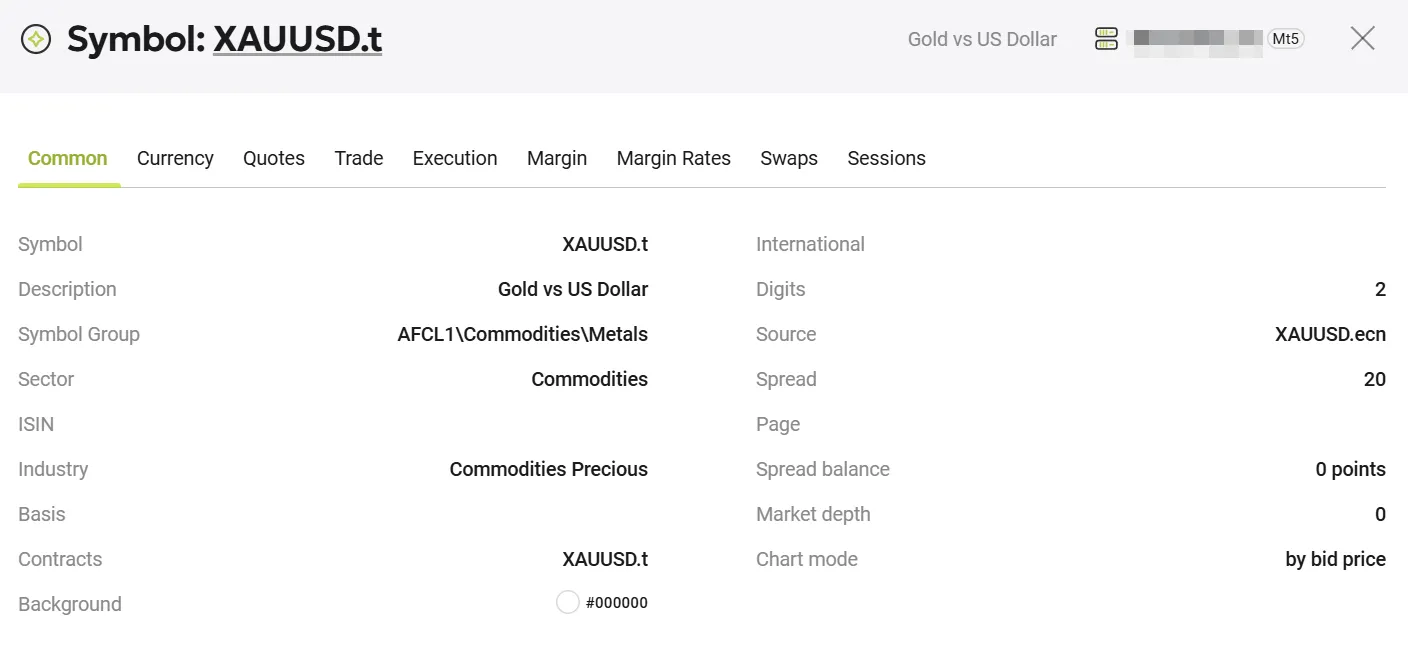
Clicking on a symbol ticker opens a comprehensive modal window containing the instrument's full configuration.
Configuration Tabs
The window is divided into functional tabs for granular management:
- Common: Basic metadata and identity.
- Currency: Base and profit currency settings.
- Quotes: Settings for price filtering and precision (Digits).
- Trade / Execution: Parameters for order processing and volume limits.
- Margin / Swaps: Financial calculations for collateral and overnight storage.
- Sessions: Active trading and quoting hours.
"Common" Tab Details
The primary tab provides the following key information:
- Asset Identity: Displays the Symbol name, ISIN (International Securities Identification Number), and Description.
- Technical Specs: Shows Digits (precision), Spread settings, and Chart mode (e.g., "by bid price").
- Categorization: Lists the specific Symbol Group, Sector, and Industry classification.
Administrative Actions
- Edit Symbol Settings: A button at the bottom right of the modal allows authorized users to modify the instrument's parameters.
4. Key Capabilities
- Cross-Platform Synchronization: View and audit symbols from multiple different trading platforms in a single standardized list.
- Risk Categorization: Symbols are enriched with Sector and Industry data, which may not be natively visible in standard trading terminals.
- Deep Audit: Every technical detail, from swap rates to session schedules, can be verified through the detailed modal view.